Night Check V1.1.0.0 LS25
Night Check V1.1.0.0 LS25
NIGHT CHECK — Your farm summary before going to sleep
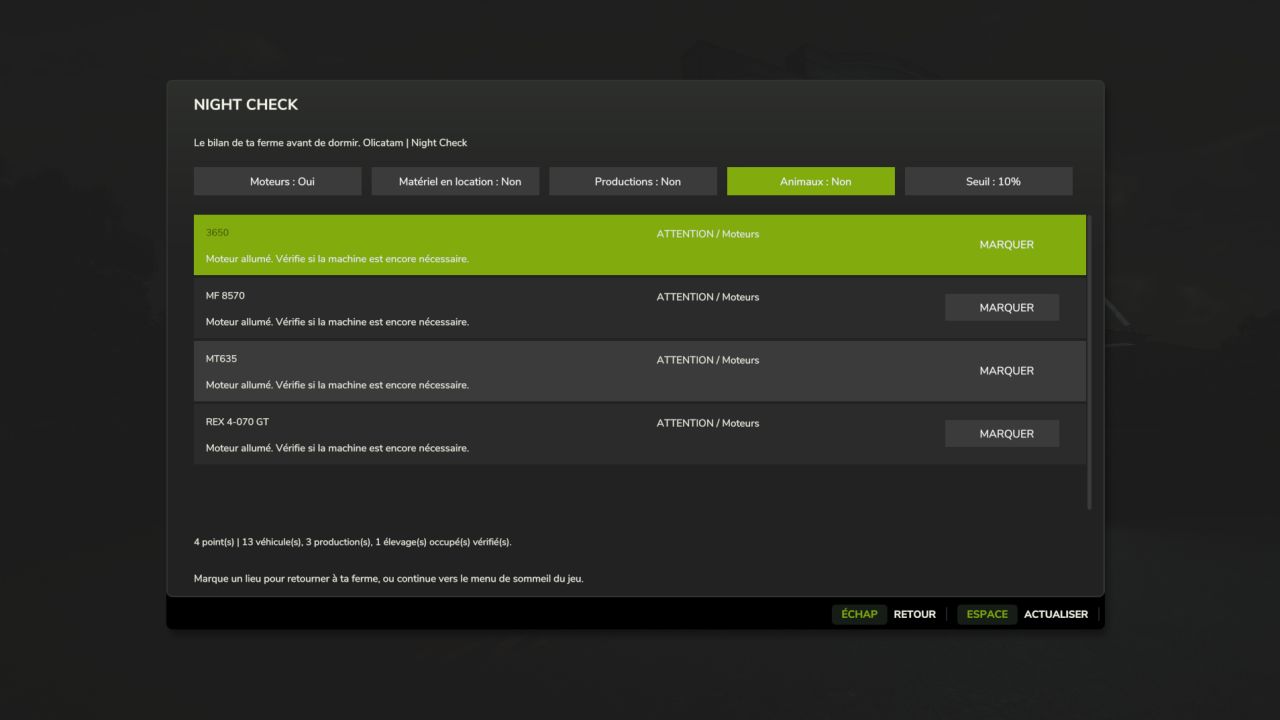
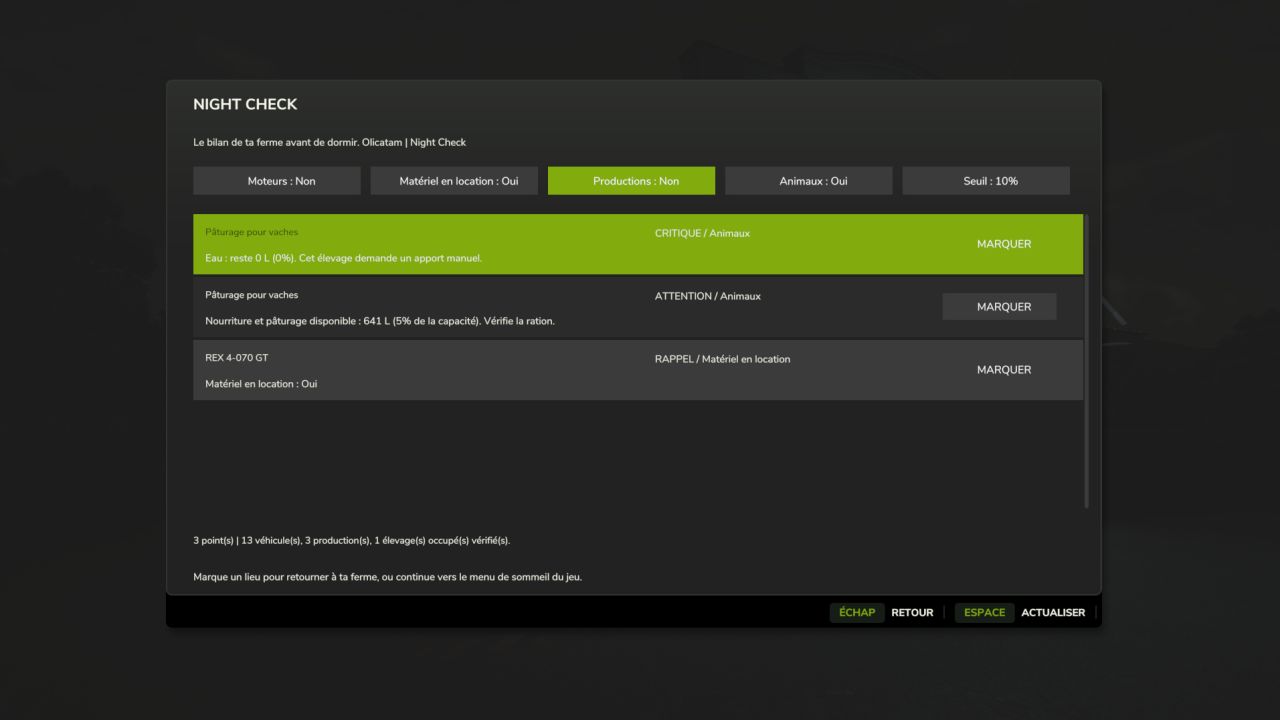
An engine left running, a machine still rented, a production running short of raw materials or livestock lacking water? Night Check gathers the points to check in a Farming Simulator 25-style window, before opening the usual sleep menu.
FEATURES
Engines: detects running engines and distinguishes machines being used by an active worker.
Rented equipment: displays equipment that is still rented.
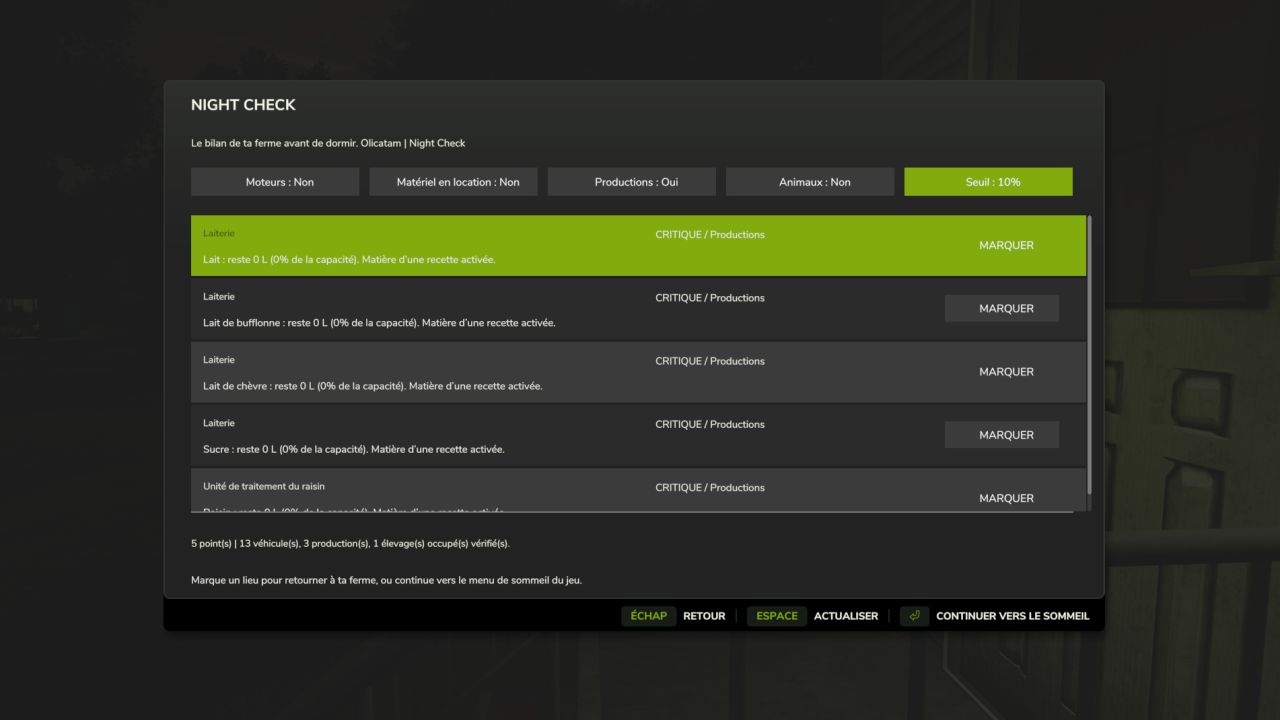
Productions: monitors the raw materials for active recipes and output stocks that are close to full. Disabled recipes and outputs sold directly are excluded from the corresponding alerts.
Animals: checks food, available pasture, water to be supplied manually and straw in occupied animal husbandries. Straw remains a simple reminder.
Alerts sorted by priority: critical, warning and reminder.
Mark button to set a vehicle or building as a destination on the map, if its marker is available.
Categories can be enabled separately and the threshold can be set to 5%, 10% or 20%.
Refresh button to reread the farm status.
USAGE
The summary is displayed when you request to sleep from a normal sleep point.
On foot, Left Ctrl + N can also be used to view it at any time. The shortcut can be changed in the game controls.
Continuing to sleep then opens the game’s usual menu. Esc / Back cancels the request. Opening the summary manually does not allow you to sleep remotely.
LANGUAGES
Translated into the 27 languages and regional variants recognized by FS25. The language is selected automatically according to the game language.
COMPATIBILITY
PC/Mac single-player and multiplayer. On a server, the local summary only covers the player’s farm and uses the data synchronized by FS25. Votes, permissions and sleep restrictions remain managed by the native menu. On a dedicated server, the mod does not create a server-side menu; each player has their own summary on the client side.
Works with GIANTS’ standard vehicle, production and husbandry systems. Custom systems from certain mods may require adaptation.
The thresholds correspond to stock levels, with no estimate of remaining duration. No stock, payment or engine is modified automatically.
No required mods. Compatible with Factory Delivery.
INSTALLATION
Place FS25_NightCheck.zip in the Farming Simulator 25 mods folder without extracting it, then activate Night Check for your savegame.
MULTIPLAYER UPDATE
Install exactly the same ZIP on the server and the clients. Summary settings remain specific to each player. 48 automated checks completed successfully; a test in a real session with multiple players still remains to be carried out.
V1.1.0.0
Multiplayer support: overview limited to the player’s farm, local settings, and retention of the native sleep menu with its votes and permissions. No menu created on a dedicated server. Protection against returning to sleep when changing farms. 27 languages retained. The same ZIP is required on the server and all clients. 48 automated checks; a real multiplayer session remains to be confirmed.