Automatic Vehicle FOV V1.2.1.0 LS25
Automatic Vehicle FOV V1.2.1.0 LS25
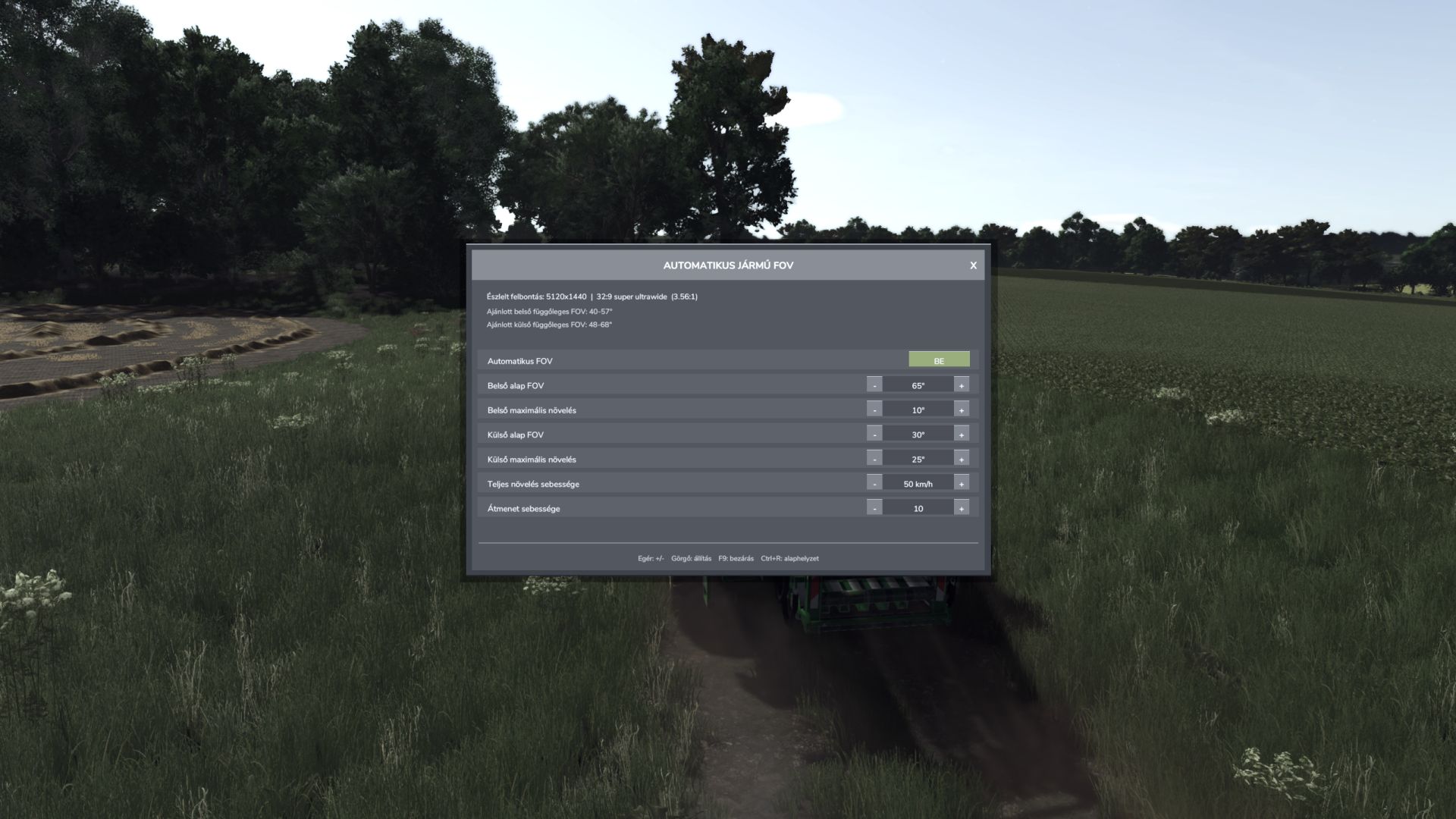
Automatic Vehicle FOV smoothly changes the vehicle camera field of view according to speed.
Inside and outside cameras have separate base FOV and maximum boost values.
Features:
– Automatic, speed-dependent inside and outside vehicle FOV.
– Smooth camera transition without sudden jumps.
– Automatic screen resolution and aspect-ratio detection.
– Recommended inside and outside vertical FOV ranges.
– Separate manual inside and outside FOV mode.
– Mouse-clickable minus, plus and APPLY buttons.
– Settings are stored in the common FS25 user profile.
– Client-side multiplayer operation; other players’ cameras are not modified.
Controls:
– F9: open or close the settings panel.
– Up / Down: select a setting.
– Left / Right: decrease or increase the selected value.
– Ctrl+R: restore default values.
– Mouse: select rows, use minus/plus, APPLY and close buttons.
– Mouse wheel: adjust the selected value.
– Escape: close the panel and restore normal mouse control.
APPLY behaviour:
– Automatic FOV ON: APPLY loads the recommended automatic FOV range for the detected display.
– Automatic FOV OFF: APPLY activates the selected manual inside and outside FOV values.
Settings file:
Documents/My Games/FarmingSimulator2025/modSettings/FS25_AutomaticVehicleFOV.xml