AI Farm Manager V2.2.1.0 LS25
AI Farm Manager V2.2.1.0 LS25
YOUR FARM FINALLY HAS A MANAGER — one that actually reads your save, watches the prices, and taps you on the shoulder when it matters.
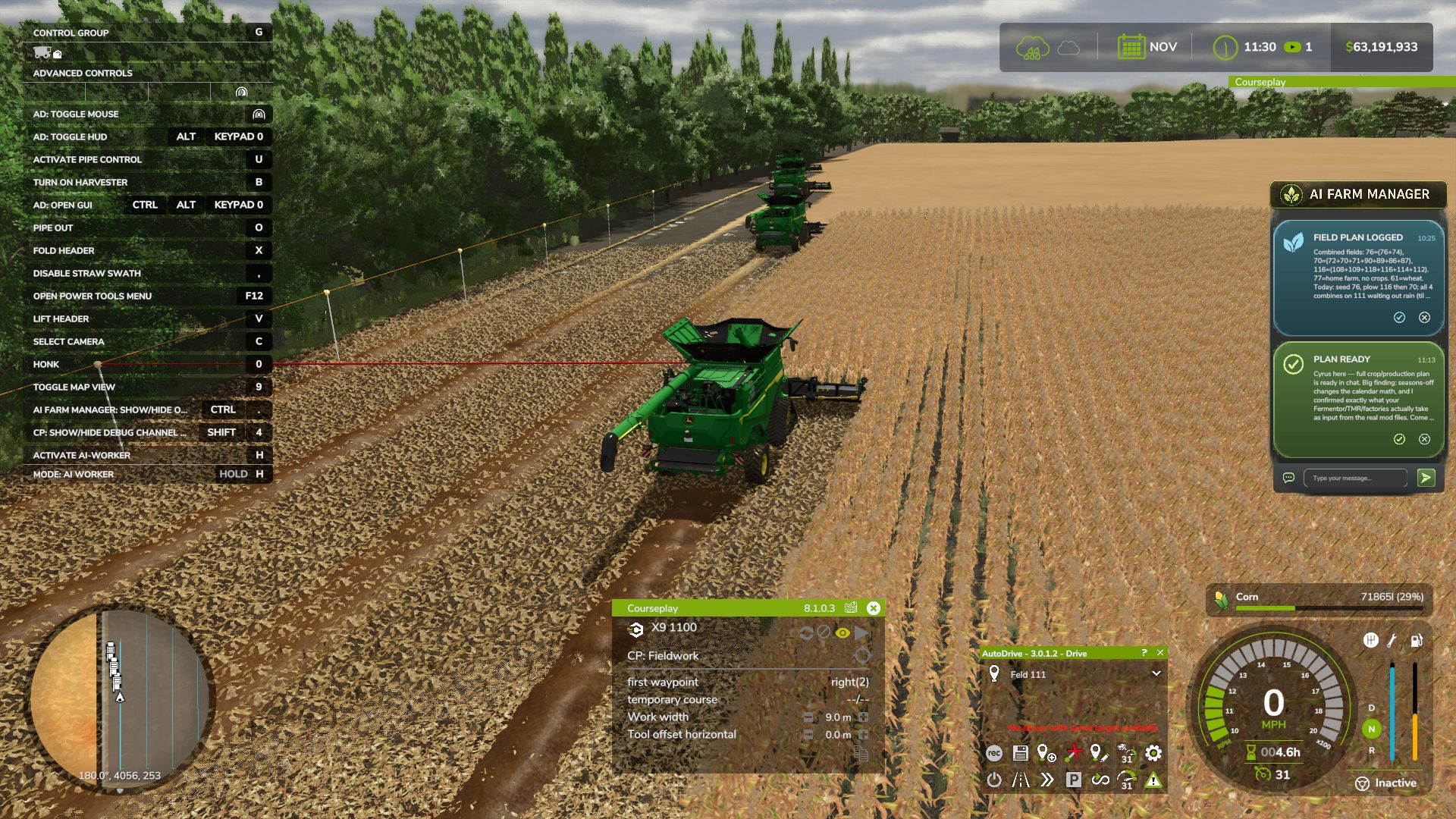
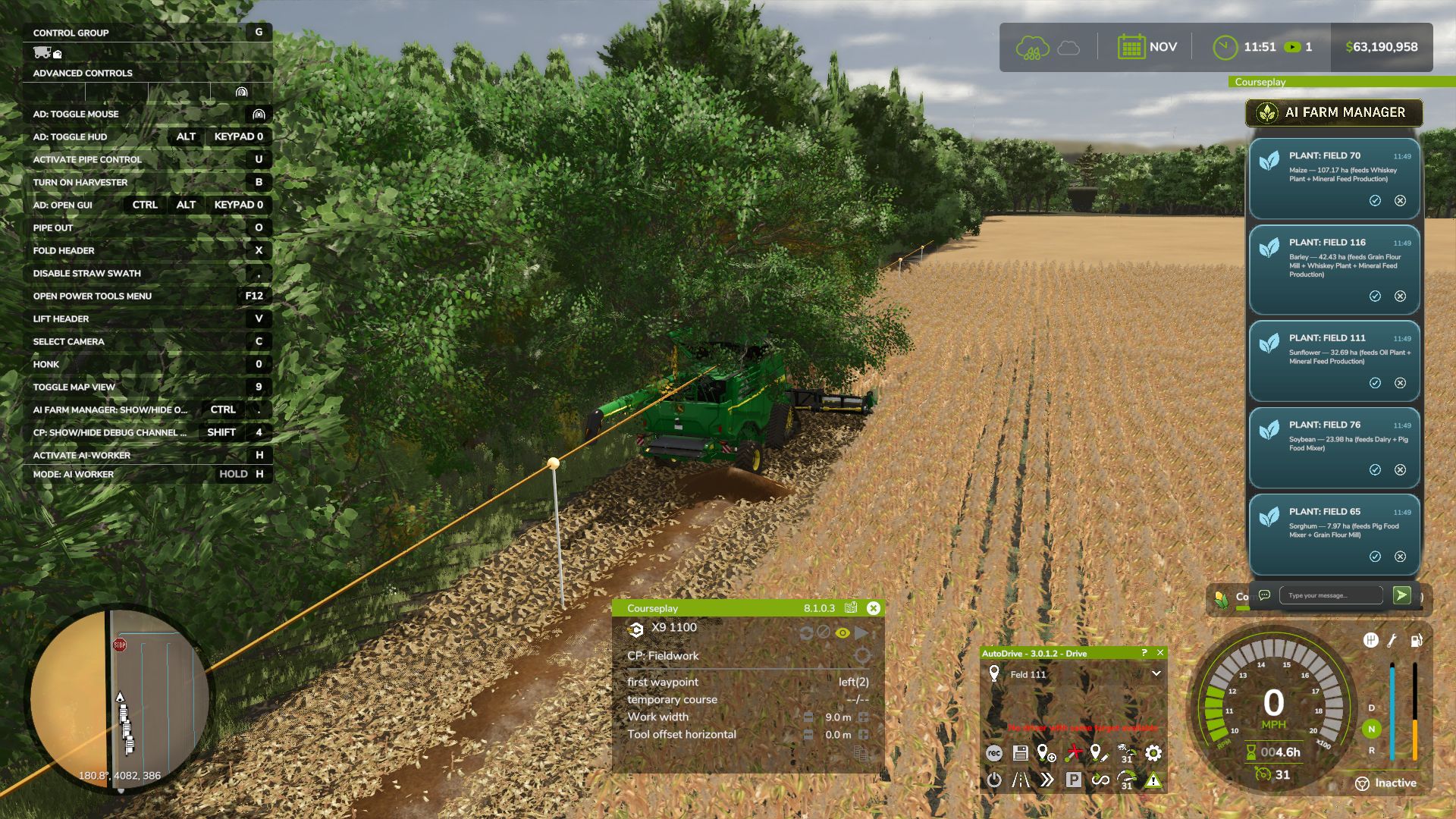
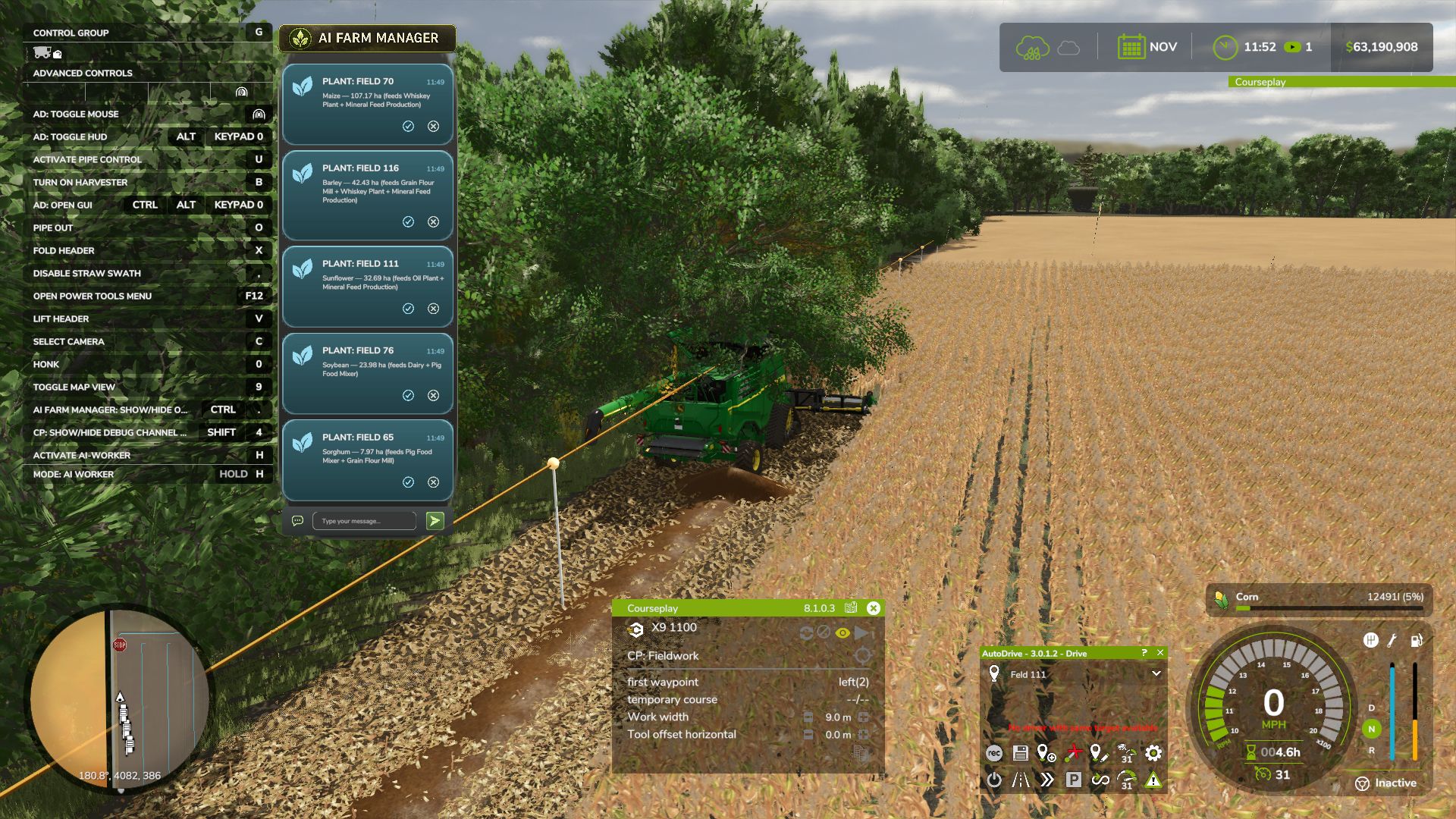
AI Farm Manager 25 gives your farm a real manager: an AI that reads your ACTUAL savegame — cash, fields, fleet, prices, weather, the clock — remembers your farm across sessions, and pops colour-coded cards onto your screen the moment something needs a decision. Answer right there in the game with a click or a typed reply, and it answers back.
FIRST, THE HONEST BIT (READ THIS)
This .zip is only HALF the mod — the part that lives in your game and puts messages on your screen. The other half is the brain: a free tool called Claude Code that runs on your PC and IS the manager. The two talk through tiny files on disk. Install only the .zip and nothing happens — you need the companion set up too (2-minute one-time setup, link below). The upside: you pick the AI. Point it at a cloud model, or run one 100% locally and free with Ollama — either way, your farm data never leaves your computer.
HOW IT WORKS
1. You play. FS25 saves your farm to disk as usual.
2. The manager reads it — cash, land, fleet, crops, contracts, silos, prices, weather — straight from your save files. It reads; it never guesses, and it never writes your save.
3. When something actually matters, it drops a card on your screen mid-game — a ripe crop about to spoil, fertilizer at its annual low, a silo filling up.
4. You answer in the game — click 👍/👎, acknowledge, dismiss, or type a free-text reply. Bring your mouse cursor up the way you already do for AutoDrive / Courseplay.
5. It reacts — reads your answer, remembers it, and follows up. Then it idles at basically zero cost until the next real event.
WHAT IT DOES FOR YOU
Real memory — a per-farm history of decisions, plans, and YOUR house rules, so it starts every session already caught up.
Buy/sell price sense — grain flagged at its seasonal peak; seed / fertilizer / lime / herbicide flagged at their annual low — and only if you actually own the storage to stockpile.
Used-equipment reality check — “is this listing actually a bargain?” answered against real new prices.
Planning that respects timing — what to buy and WHEN, not just what.
Notifications you can trust — colour-coded cards (green ok / blue info / amber warn / red critical) with 31 context glyphs. It under-sends on purpose: silence is the default, and it only interrupts when it’s worth your hands off the wheel.
Your overlay, your way — persistent panel or classic pop-ups (toggle Ctrl+Period), movable and restylable, and your unanswered cards survive a restart. Two-way, for real — it reads your clicks and typed replies back; a double-click can’t double-count.
WHAT IT WILL NEVER DO
Never writes to your savegame — not once, not ever. 100% read-only against your game.
Never phones home — everything stays on your PC (run it on a local model and your farm data never touches the internet at all).
Client-side only, safe for singleplayer AND multiplayer; changes no gameplay system.
WHAT YOU’LL NEED
Farming Simulator 25 + this mod (PC).
Claude Code (https://claude.com/claude-code) installed on your PC — the free companion that runs the manager.
An AI model for it to use — your choice: a Claude / Anthropic account, an OpenRouter key, or a free local model via Ollama.
Python 3 (standard library only — nothing to pip-install).
A one-time 2-minute setup: start Claude Code in your farm folder and say “set up my farm manager.”
Currently WSL / Linux-oriented on Windows (it uses /mnt/c/… paths). To click card buttons you need a mouse cursor on screen (AutoDrive’s MMB, Courseplay’s RMB, or any cursor mod).
THIS IS EARLY — HELP SHAPE IT
Built for Claude Code today; more AI CLIs may follow as the community asks.
Made by Parzival. Reads everything, guesses nothing, and stays on your machine.