Fuel Consumption HUD V1.1.0.0 LS25
Fuel Consumption HUD V1.1.0.0 LS25
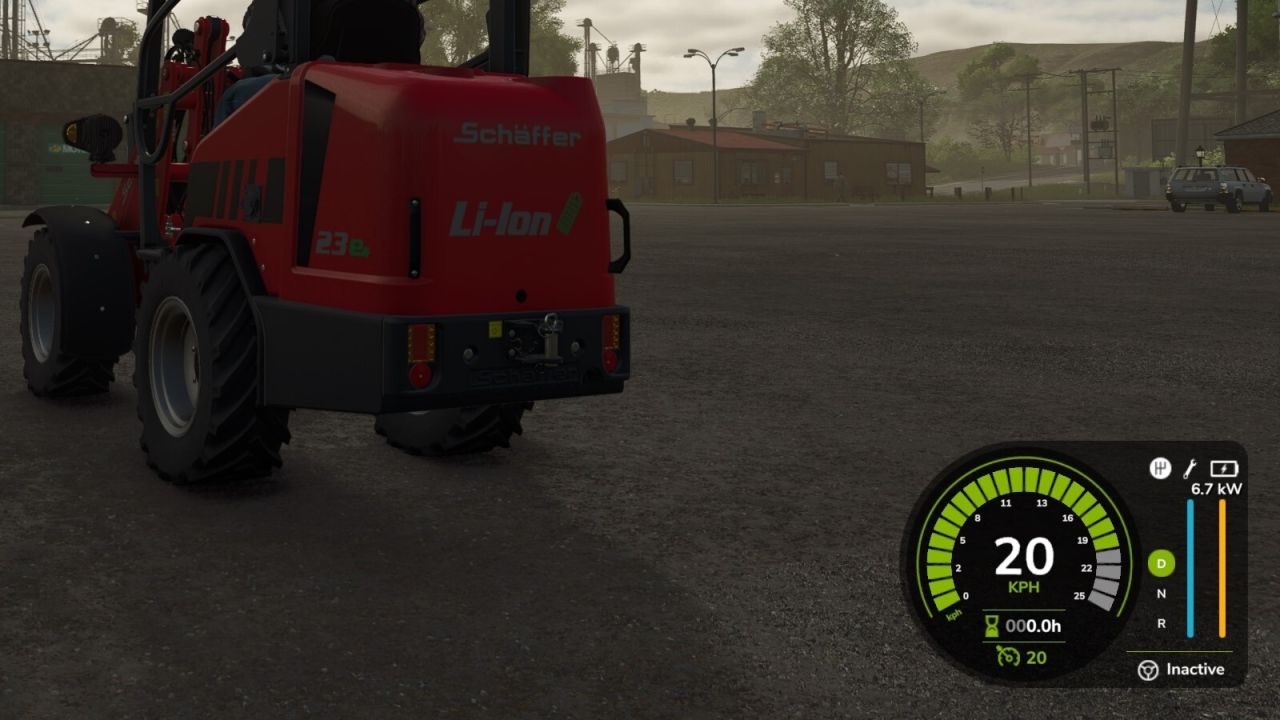
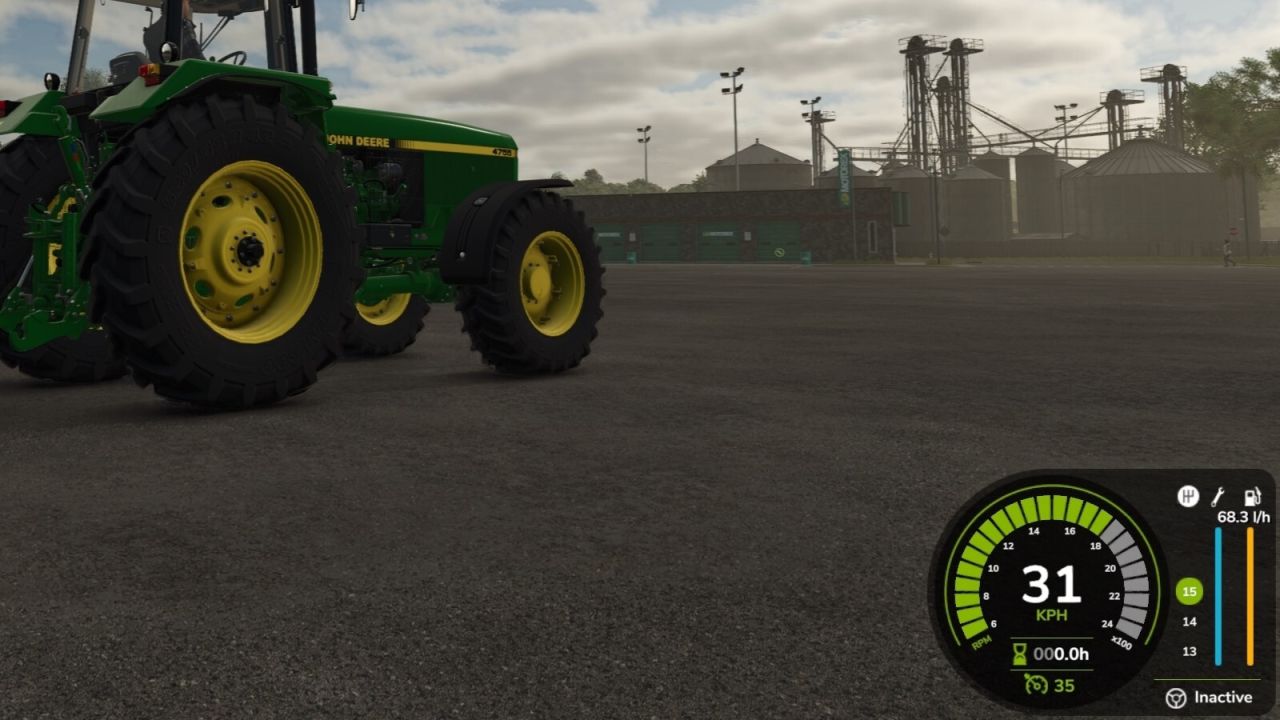
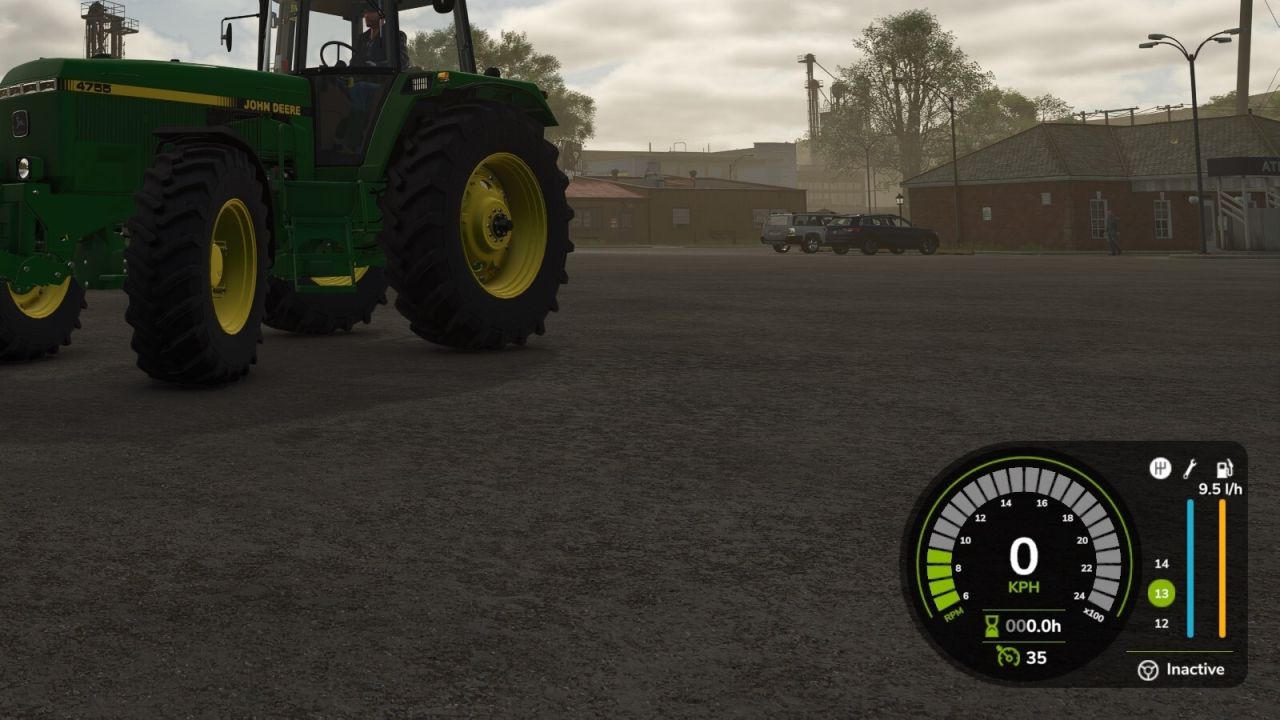
Displays fuel usage in l/h for combustion engine vehicles and instantaneous power in kW for electric vehicles. Anchored to the bottom-right HUD corner and scales with the UI. Hidden for other vehicle types.
V1.1.0.0
– Significant internal improvements
– Robust consumption estimator:
– Exponential Moving Average (EMA) smoothing and adaptive smoothing for ECU “lastFuel” readings and electric power estimates.
– Event-driven fill-level delta estimator with anti-spike measures (median + trimmed-mean + stability check).
– Plausibility filtering (ignores unreliable readings)
Electric behaviour improvements:
– Shows instantaneous power (kW) while the electric motor is ON even when stationary.
– Shows 0.0 when the motor is OFF to avoid confusing residual values.
– Improved consumer-based fallback estimation for electric power usage.
– Faster, more responsive internal sampling while keeping the on-screen display stable.
– HUD appears instantly when you enter a vehicle (placeholder shown immediately; accurate values follow shortly).
– Smoother, more plausible readings with reduced spikes and erratic values.
– UI scaling fixes: HUD position and size stay consistent across UI scales (including small scales such as 50%).
– Respects in-game HUD visibility (won’t show when the in‑game UI is hidden).
– Stability fixes: added runtime guards to avoid rare “attempt to call a nil value” crashes.