Easy Development Controls V1.2.0.0 LS25
Easy Development Controls V1.2.0.0 LS25
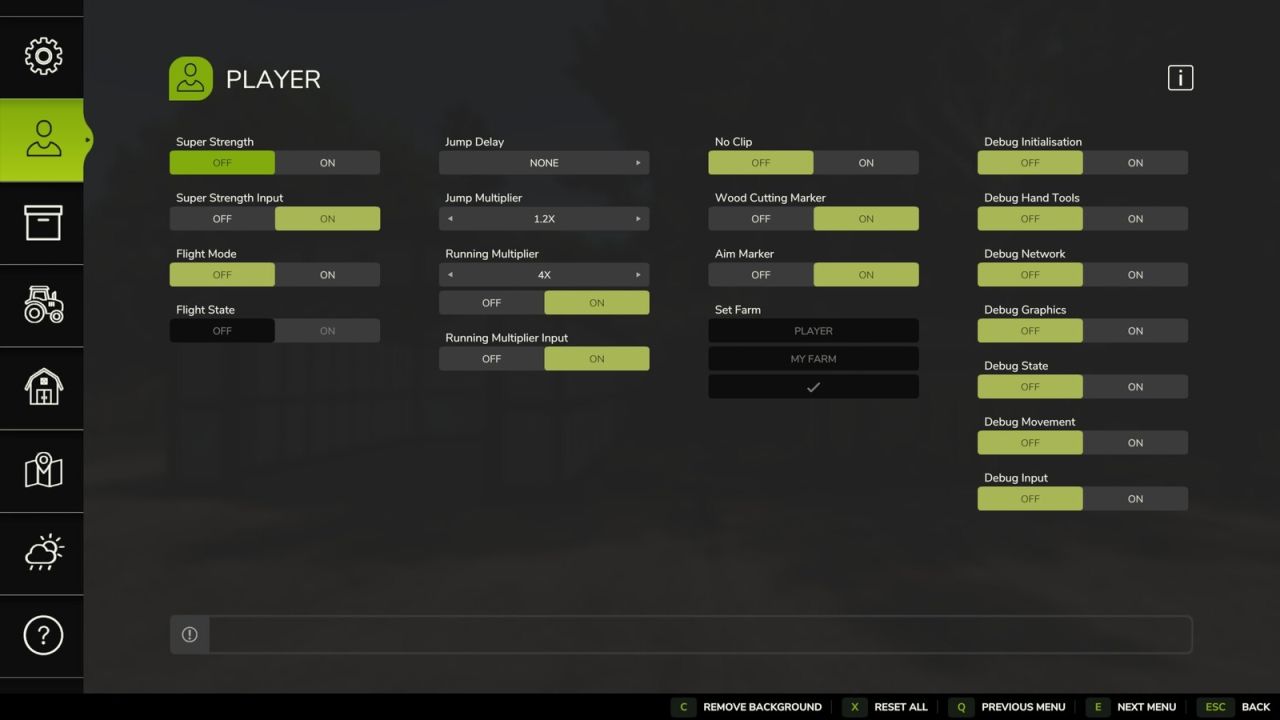
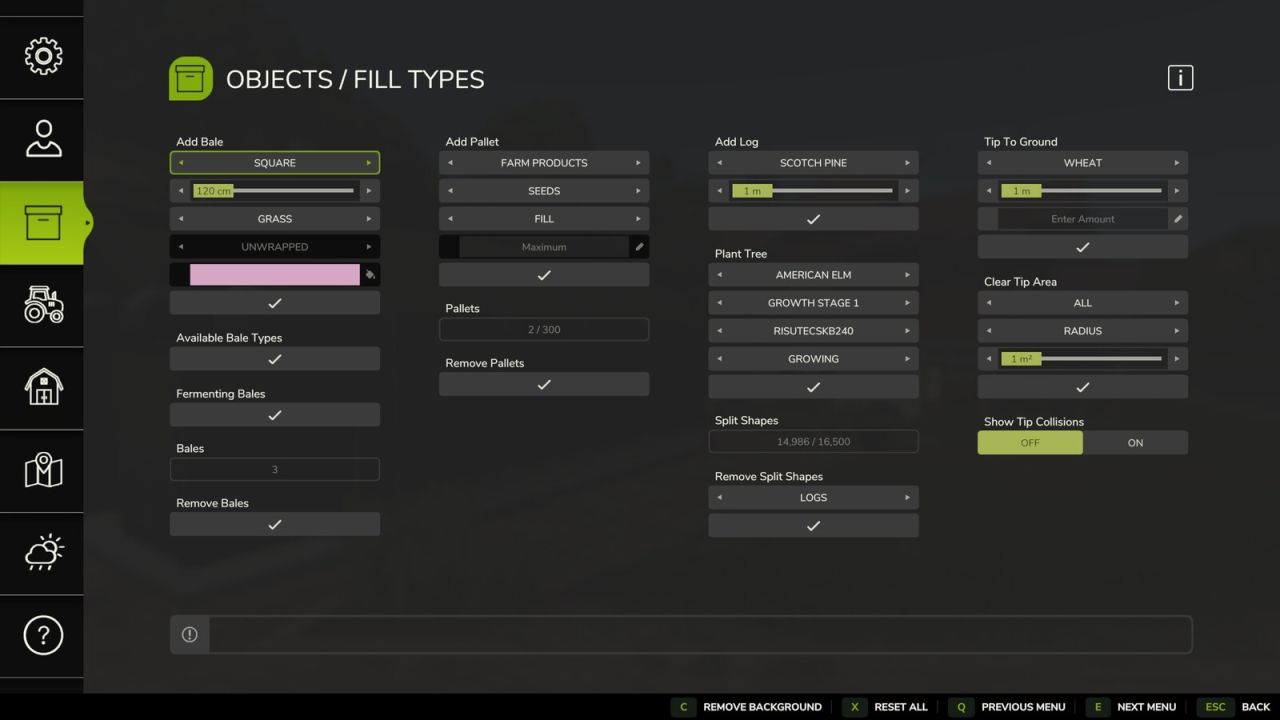
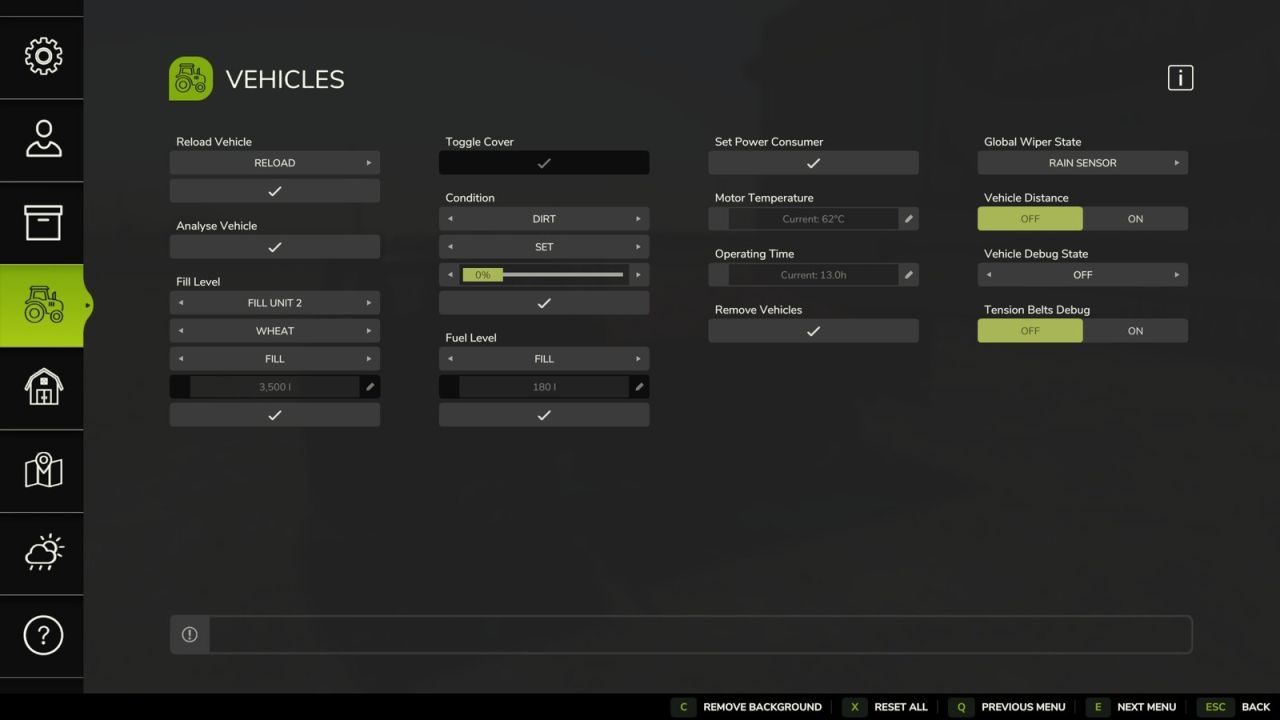
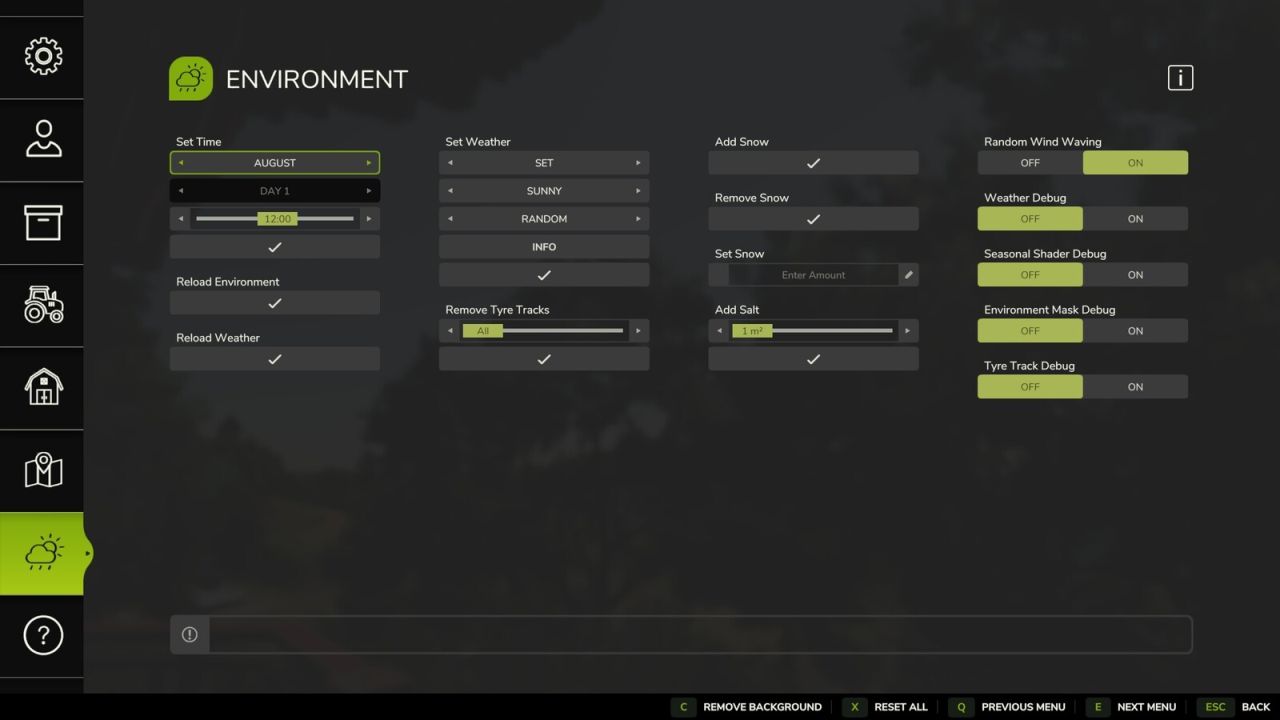
Easy Development Controls is designed as a testing tool for modders, mappers and content creators. It can also assist with gameplay setups or however you wish to play the game.
It includes some features available already through the game console commands but now easily accessible and also the addition of many new custom features.
Most features support use in Multiplayer and permission levels of some commands can be adjusted. This now also includes existing console commands that previously only worked for the host.
Some quality of life features include:
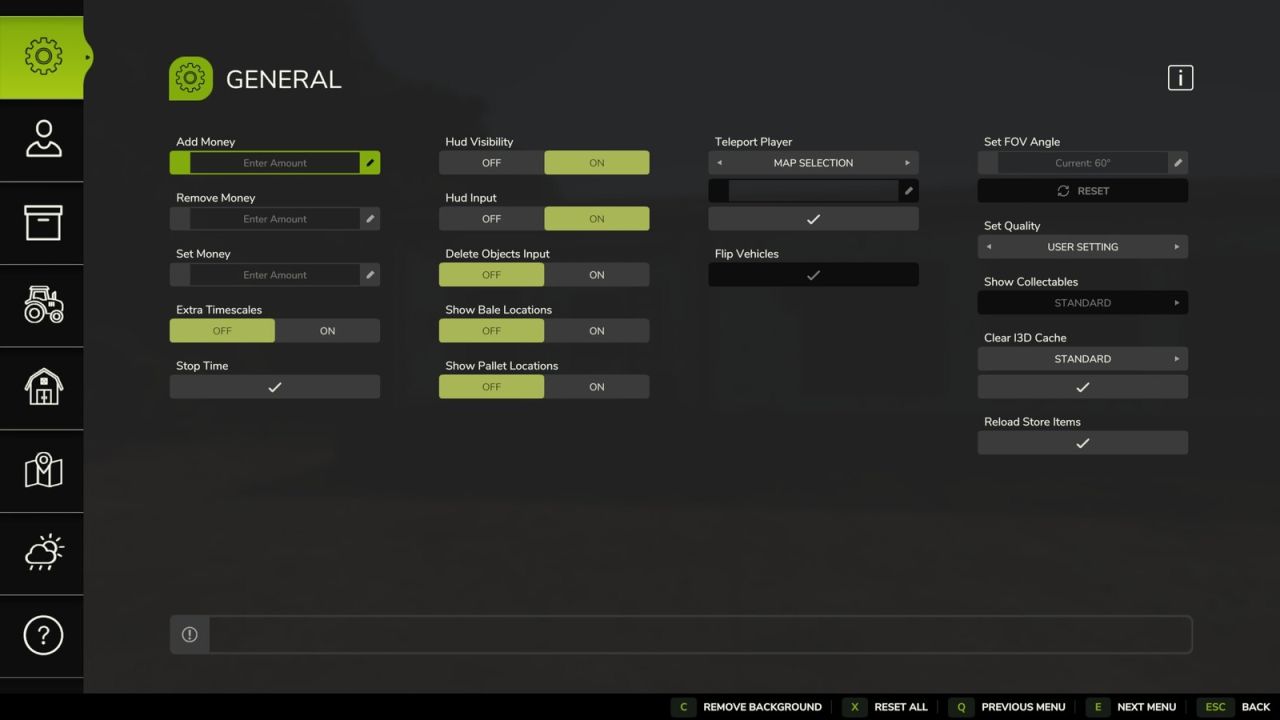
– Teleport: Quickly move yourself or vehicles around the map by selecting a location on the map, by field number or x/z coordinates.
– Flip Vehicles: Allows a user to easily correct upright rotation of a vehicle.
– Super Strength: Increases a players carrying capacity and pickup range.
– Hud Visibility: Shows and hides the whole hud, you can also activate a key binding for faster access.
– Show Bale Locations: This will display all farm owned bales on the map.
– Show Pallet Locations: This will display all farm owned pallets on the map.
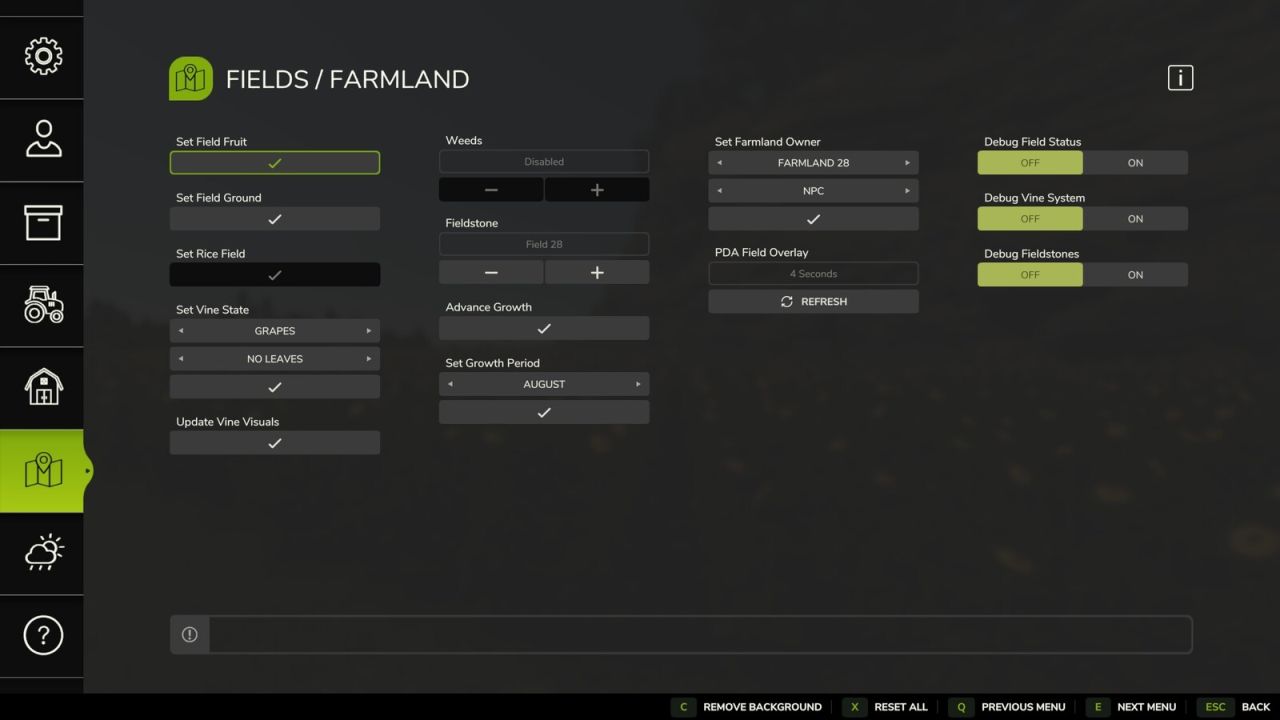
– Advance Growth: Advances all crops to the next growth stage.
With the extended number of features plus many new features planned, Easy Development Controls has something for everyone.
Inputs:
– Open Menu: F12
V1.2.0.0
– The current location of the ‘defaultUserSettings.xml’ is now displayed in the ‘ABOUT’ section of the EDC Help page.
– It is now possible to close the menu using the ‘Open Menu’ key binding. This feature can be disabled in the ‘defaultUserSettings.xml’ under ‘toggleMenuMode’ if required.
– Some general improvements and bug fixes are included along with the following.
– [General] Feature ‘Stop Time’ now allows restarting of time also, time state is displayed on button using a play and pause icons.
– [General] Feature ‘Set Quality’ now restores ‘User Default Settings’ when exiting the game to the main menu to avoid potential issues.
– [General] Fermenting bales in Object Storage buildings are no longer displayed when ‘Show Bale Locations’ is enabled.
– [Objects] Fermenting bales in Object Storage buildings are no longer deleted when using ‘Remove Bales’ feature.
– [Objects] Fermenting bales in Object Storage buildings are no longer displayed in the bales counter when there is no game limit.
– [Objects] Correct ground height is now used on slopes when using the ‘Plant Tree’ feature.
– [Objects] Feature ‘Add Log’ now supports Highlands Fishing Expansion log types where possible.
– [Objects] Box pallets for crops spawned using the ‘Add Pallet’ feature now includes a discharge node for use at tip points.
– [Vehicles] Added ‘Vehicle Selection’ feature, allowing implement selection change when vehicle is entered without leaving menu, useful when refilling multiple trailers etc.
– [Vehicles] Added ‘Wetness Debug’ feature as requested.
– [Permissions] Save changes popup is now shown when pressing ESC input or back button if required.
– Chinese Simplified (cs) translations added.
– Italian (it) translations updated.
– Spanish (es) translations updated.