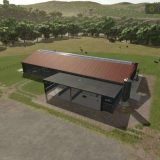
Seed Realism + V1.0.0.0 LS25

Seed Realism + V1.0.0.0 LS25
Seed Realism + is a lightweight script mod for Farming Simulator 25 designed to fix the heavily overinflated seed rates found in base Precision Farming and various map mods. This mod was originally a simple edit for Precision Farming that would break anytime Giants updated the rates, now they should hook regardless of game version.
Using real-world North American agronomic data the mod hooks into Precision Farming’s updateSeedArea function to dynamically scale down unrealistic seed consumption while keeping realistic values untouched.
How It Works
Precision Farming Integration: Works seamlessly with PF’s active 3-stage seed rates (Low, Medium, High) controlled automatically or manually via the , (Comma), K, and M keys.
Simple Rate Checks: Compares actual seed volume against real-world seed data. If a rate is excessively high, it scales it down dynamically; if it’s already realistic, it leaves the rate the same.
Specific Crop Support: Includes reference tables for standard crops as well as specialty/niche crops (Rice, Field Peas, Edible Beans, Alfalfa, Peanuts, Cotton, and Grass) and automatically scans custom map-mod crops at load time.
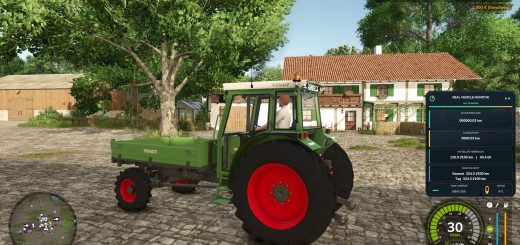
Clean In-Game Feedback: Outputs concise logs and optional corner HUD notifications whenever rates are adjusted or active zones shift.
Commands
srStatus: Checks if Seed Realism + is active or serves as a fallback incase some mods load order has pushed the log message or notification too far up
srCheckRate: [Crop] Shows active PF values for the crop target.
srSetRate: Check Lua for functionality, this is command is for strictly power users and can break functionality
srClearRate: Actively resets the rate to default incase it pulled the wrong value or you applied a custom rate via `srSetRate`.
srRateReset: Emergency reset all rates to default PF and map values incase of command failure or CPU memory usage errors
srDebug: [true|false] toggles log output state.
srNotify: [true|false] toggles notification field alerts state.