Farm Assistent V2.0.0.0 LS25
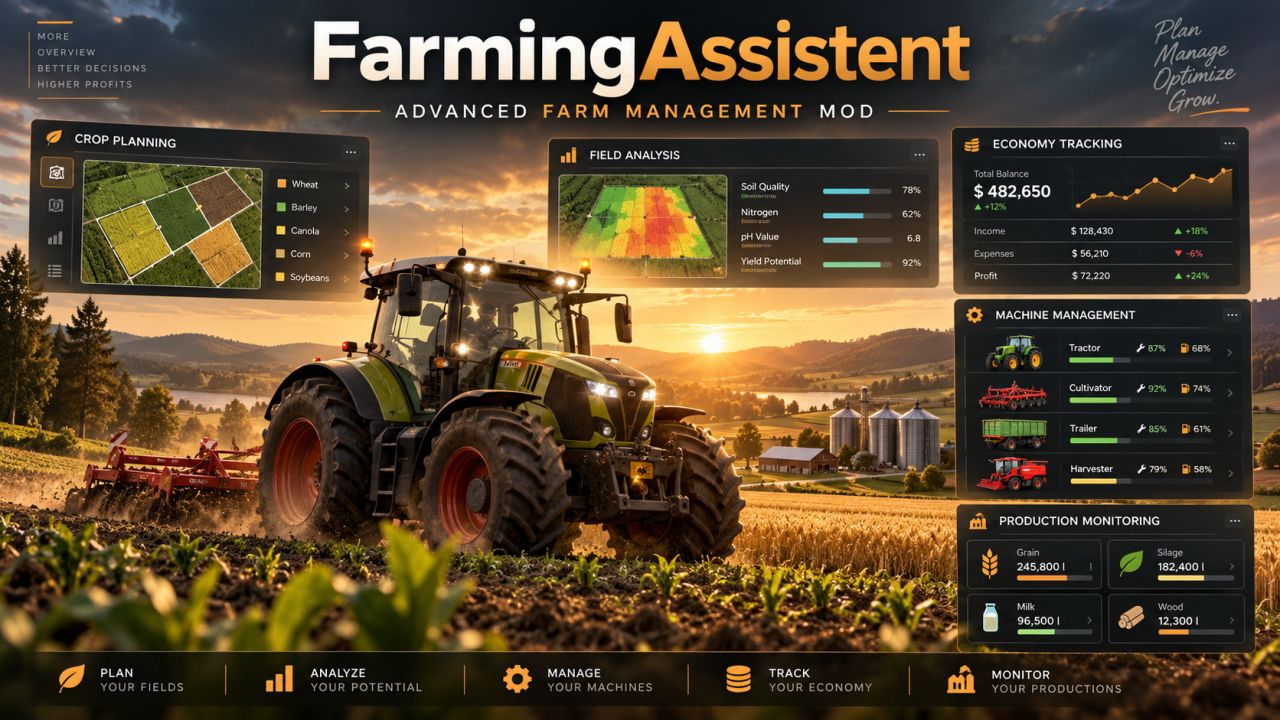
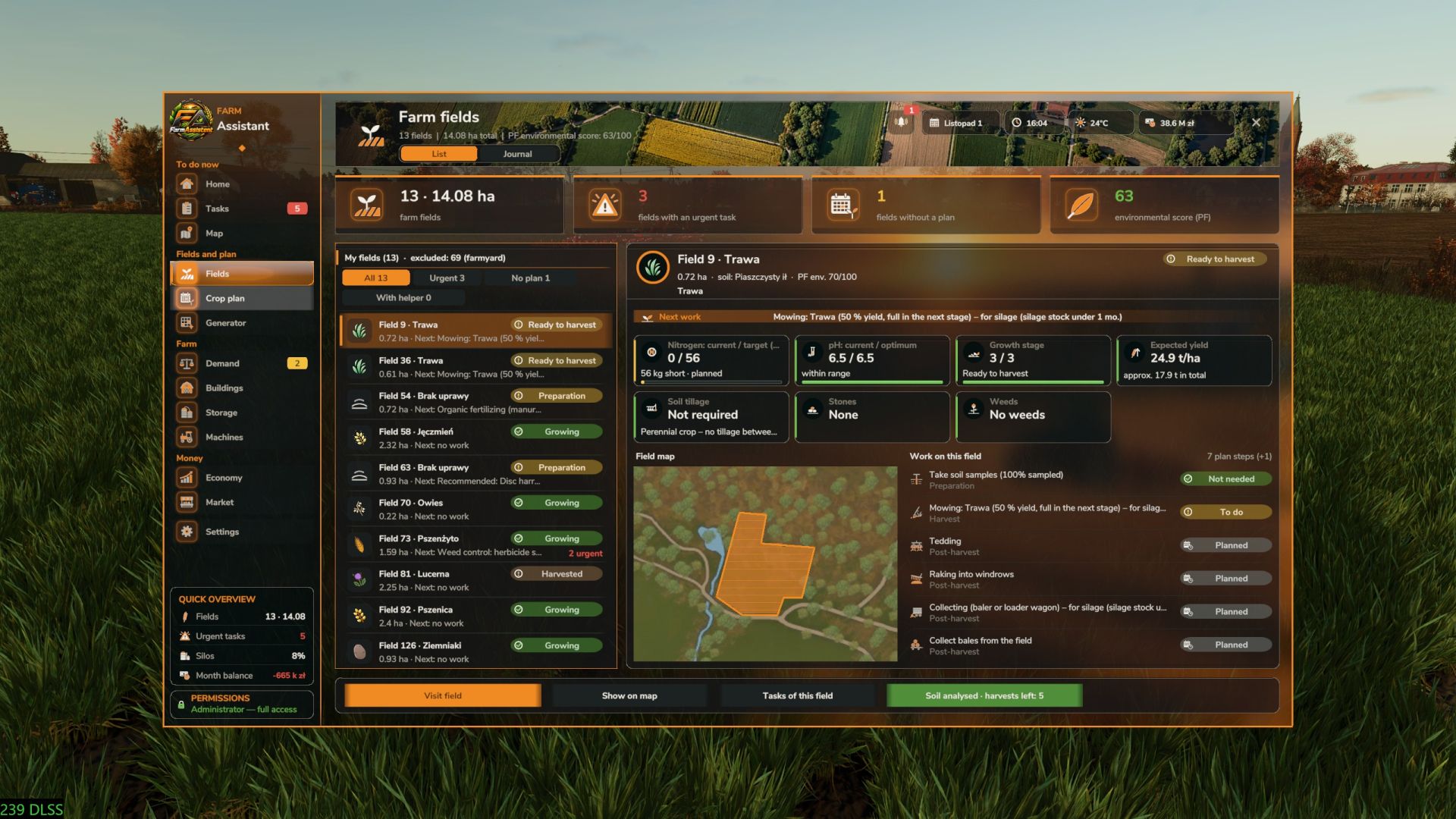
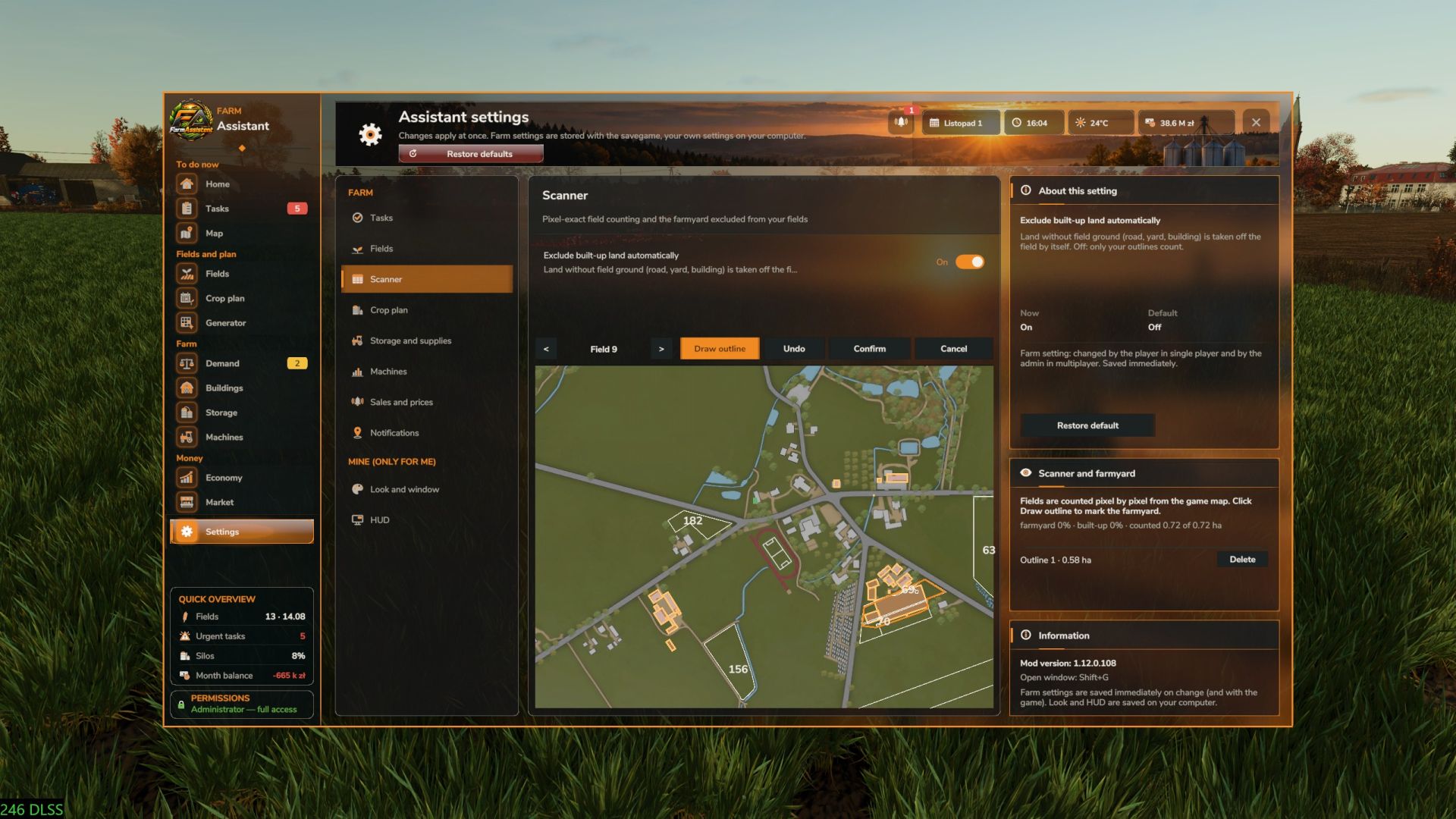
Farm Assistent V2.0.0.0 LS25
FarmAssistent – Your Complete Farm Management Assistant
Take full control of your farm with FarmAssistent!
FarmAssistent is an advanced farm management and planning tool for Farming Simulator 25. It combines field monitoring, intelligent work recommendations, crop rotation planning, financial information, storage management and much more into one modern, easy-to-use interface.
Whether you’re managing a small farm or a large agricultural operation, FarmAssistent helps you organize your work, make better decisions and stay one step ahead.
Main Features
Advanced Field Management
Monitor all your fields in one place.
Check crop types, growth stages and field conditions.
Track fertilization, weeds, stones, plowing and soil requirements.
Precision Farming integration for nitrogen and pH information.
View field status and recommended actions.
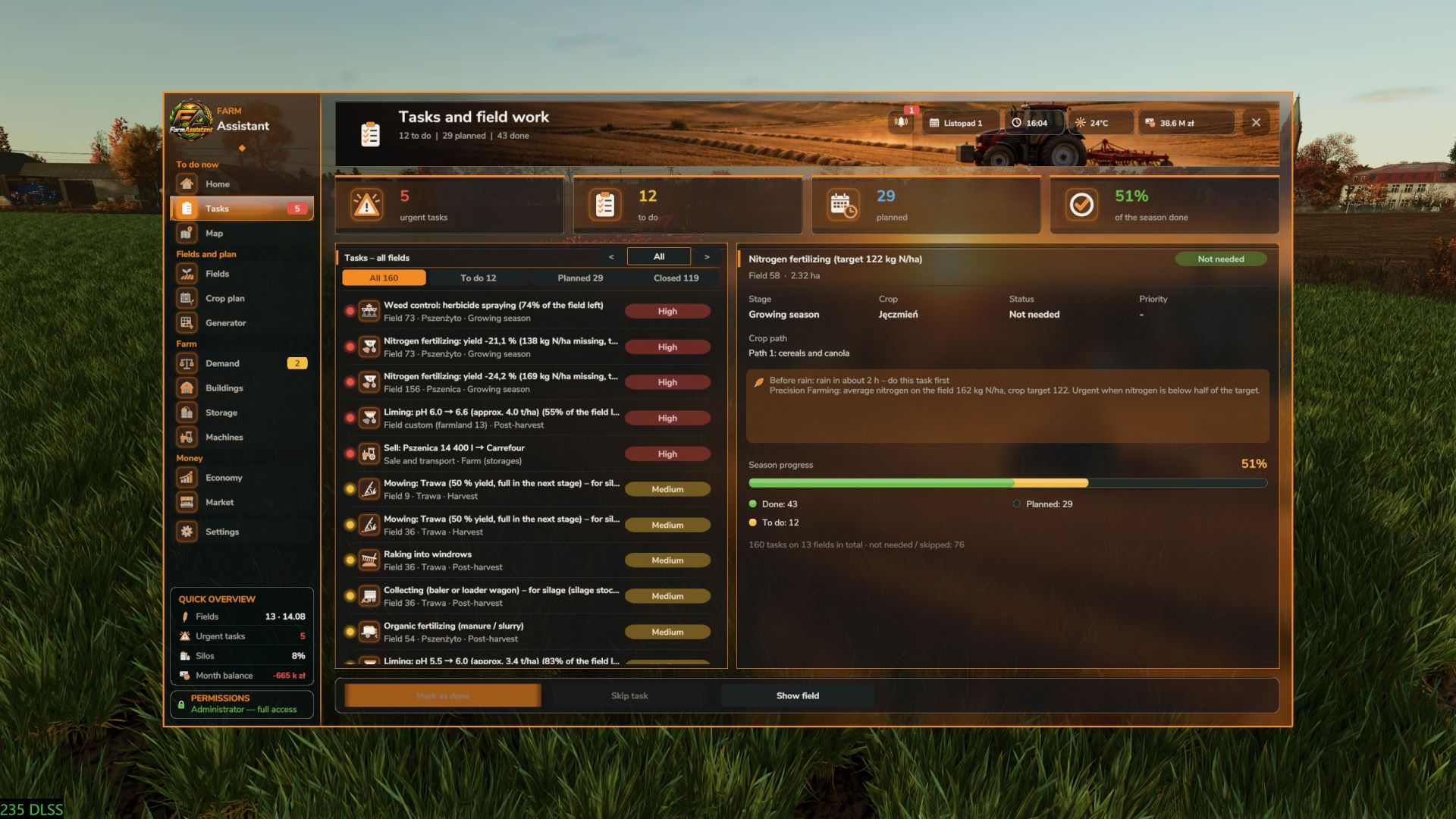
Intelligent Field Work Planner
Automatically analyzes field conditions.
Recommends the next agricultural operations.
Displays urgent, planned, blocked and pending tasks.
Helps you choose suitable soil cultivation methods.
Keep track of completed and skipped operations.
Multi-Year Crop Rotation Planner
Generate crop rotation plans for multiple years.
Uses crop availability and seasonal calendars from the game.
Supports crop rotation rules and catch crops.
Helps organize sowing and harvesting schedules.
Validates generated plans against available crop information.
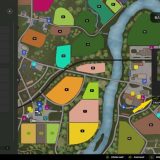
Interactive Farm Map
Overview of your fields and their current conditions.
Different map layers for easier farm monitoring.
Field status information directly on the map.
See which fields are currently being worked by AI helpers.
Farm Economy & Market
Monitor important financial information.
Check current selling prices.
Compare selling opportunities.
View estimated gross margins per hectare.
Review seasonal farming activity.
Storage, Production & Machinery
Monitor stored crops and available resources.
Check production facilities and required supplies.
View machinery fuel levels and condition.
Keep important farm information in one place.
Agricultural Calendar & Weather
View sowing and harvesting periods.
Plan agricultural operations according to the season.
Receive warnings about upcoming precipitation and freezing temperatures.
Stay informed about important field activities.
Field Journal & Seasonal Reports
Track harvesting, preparation and sowing history.
Review activities for individual fields.
View yearly summaries of harvested and sown crops.
Receive end-of-year notifications.
Modern Interface
Modern graphical interface with detailed dashboards.
Four selectable interface themes.
Field information and task indicators.
Custom icons and visual status indicators.
Configurable HUD displaying useful information during gameplay.
English and Polish language support.
Multiplayer Support
FarmAssistent supports multiplayer and dedicated servers.
Farm information is shared through the server. Farm settings, crop plans and task statuses are managed by the server administrator or host, while other players have read-only access.
Important Information
FarmAssistent is a management and advisory tool, not an automatic farming system. It helps you decide what to do next, but does not automatically operate machinery, purchase equipment, sell crops or perform field work.
Precision Farming integration is available when the DLC is installed.
How to open: Left Shift + G
Version 2.0.3.0
Improved stubble mulching detection.
Corrected field status after mulching.
Improved seasonal summaries and notifications.
Added field journals and seasonal reports in the 2.0 series.
Added weather warnings and AI helper field tracking.
Improved interface performance and usability.
Created by Bleh.
Enjoy smarter, more organized farming with FarmAssistent!
V2.0.0.0
PIXEL-EXACT FIELD SCANNER
Fields are counted pixel by pixel from the game maps instead of a grid of
sample points. Tasks, field stage, cultivated part, Precision Farming values,
yield estimate and “Visit field” are much more accurate.
New Settings > Scanner: map preview, farmyard outlines drawn by you (yard,
roads and buildings inside a field are left out), “Exclude built-up land
automatically”. Outlines are saved per savegame.
Precision Farming tramlines no longer count as unsown ground.
Custom fields: cultivated land on your own farmland outside the map fields
(e.g. a cleared forest) is found automatically as “Field custom (farmland N)”
from 0.2 ha.
PRECISION FARMING
Nitrogen fertilizing by yield loss: the task appears when missing nitrogen
costs at least 2% of the yield; the name shows the loss and the missing
kg N/ha. A second dose respects the PF block until the next growth stage.
Nitrogen and pH targets per soil type exactly as in PF. Liming shows the part
of the field below the optimum (“X% left”); limed ground counts until the
next crop and liming stays done after tillage.
Yield estimate with the PF formula (nitrogen and pH curves per soil, crop
potential, weeds, bonus on your own field).
PF values only from field ground (buildings and roads inside a field outline
are ignored).
Soil analysis button on every field with PF: colour and label from the age
of the analysis (not analysed / expired, samples in the lab, harvests left).
TASKS
Tasks tab: pick a single field with < > (field number box, merged fields
“54+81”, custom fields); one field lists its whole cycle in work order.
A task that was needed in this cycle and is finished shows “Done”, not
“Not needed” (cycle memory, saved with the game and in multiplayer).
Weed control: early weed stages are “to do – preventive”, not urgent; the
task is finished when at most 5% of the weedy part is still alive.
Manure / slurry recognised from the field (80% of the field) and remembered
for the cycle; not needed when PF nitrogen is enough for the next crop.
Rolling only in growth stage 1; mowing grass with partial yield is not
urgent; harrow / weeder only in suitable crop stages.
Mulching: medium priority, done from 80%, blocked until harvest, straw and
bales are cleared, not needed after plowing.
Grass: hay or silage advice per field (from animal demand and prices);
raking and collecting read from the windrows on the field; bales inside a
baler or on a trailer no longer count as “collect bales”.
Silage or grain: crops with a silage stage (maize, cereals) get a “Purpose”
switch on the harvest card with advice from the farm silage demand; silage
maize and green rye always for silage.
Unripe part of a field during harvest: its growing-season tasks are shown in
the field details.
Crops sown outside the map calendar get a harvest estimated from their
growth stages.
LAND AND SOIL
Buy or sell farmland from the Map tab in a mod offer window (field, farmland,
price, money before and after; game blocks such as contracts or buildings
are explained).
Order a soil analysis from the field card.
DEMAND AND PLAN
Animal demand per month as the game counts it (no extra multiplication by
days); pigs and horses: days of stock for each feed group.
Crop plan and production chains use the full-care yield multiplier (also for
straw, grass and silage).
LOOK
New icon set finished: old atlases removed, every summary tile has its own
picture.
Mod window: accent frame around the window and the side menu, accent frames
on list and detail panels, summary tiles with an accent top edge, panel
headers with an accent marker and line.
HUD panel “To do” shows only tasks (fuel and weather rows removed); it stays
below the game clock and notifications.
FIXES
Field numbers of the map no longer show through dialogs; offer window button
labels always visible.
Scanner preview: field borders clipped to the map, Undo removes the last
outline, outlines do not carry over to another savegame on the same map.
Field stage during harvest and silage cutting no longer switches to
“Growing” or “Post-harvest” too early.
Many smaller task status fixes from in-game tests.