Krone Premos 5000 Autoload V1.0.0.0 LS25
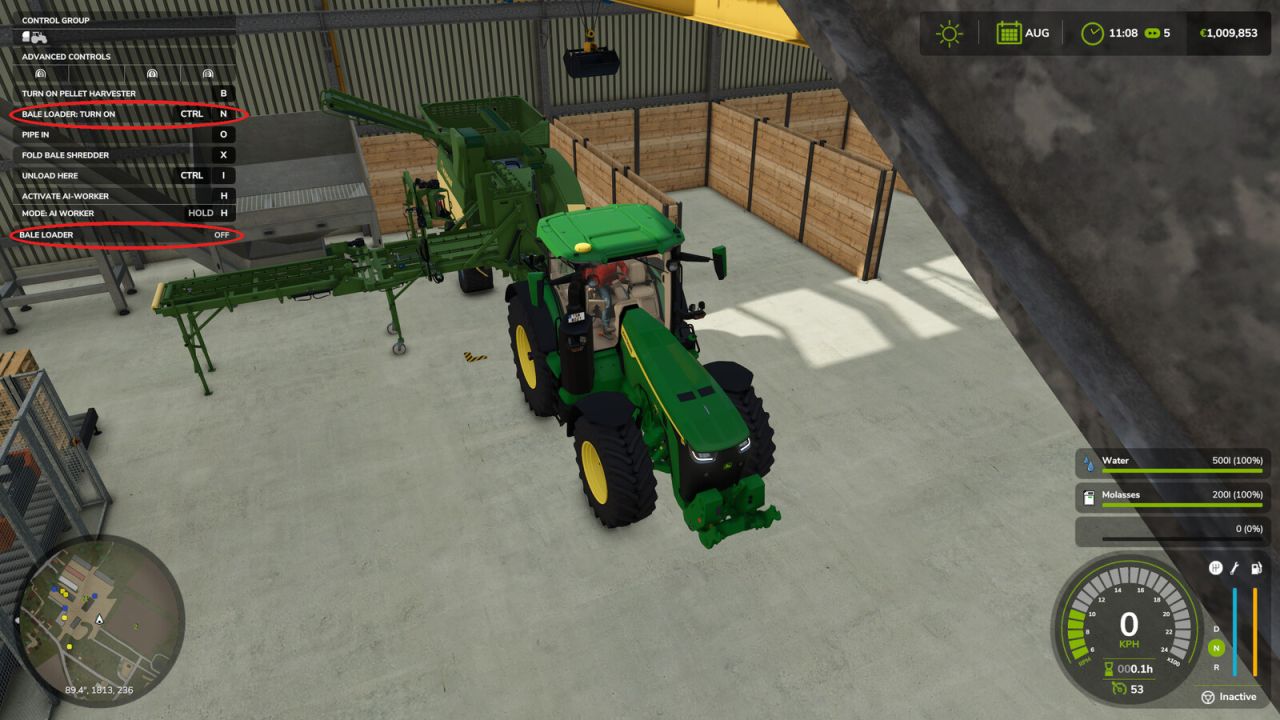
Krone Premos 5000 Autoload V1.0.0.0 LS25
REQUIRES the Straw Harvest add-on: this mod works on its Premos 5000 and Bale Shredder, and on nothing else. Without that add-on installed, it does nothing at all.
This is not a general-purpose bale loader: it is built for one machine. It keeps the Premos 5000 and its Bale Shredder fed with square bales, so the pellet line keeps running while you are somewhere else on the farm.
The mod stays completely inert on every other vehicle in the game. It only wakes up on the Premos 5000 and the Bale Shredder; on anything else it does nothing at all: no key binding, no panel, no code running.
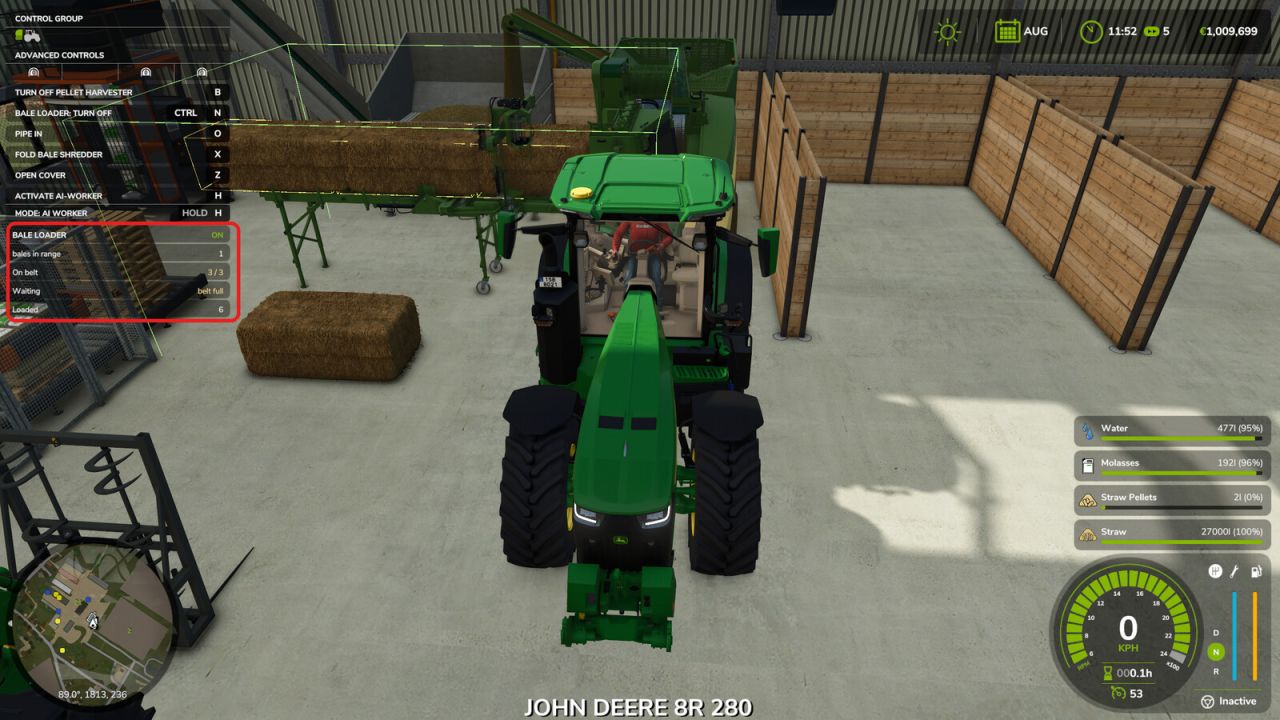
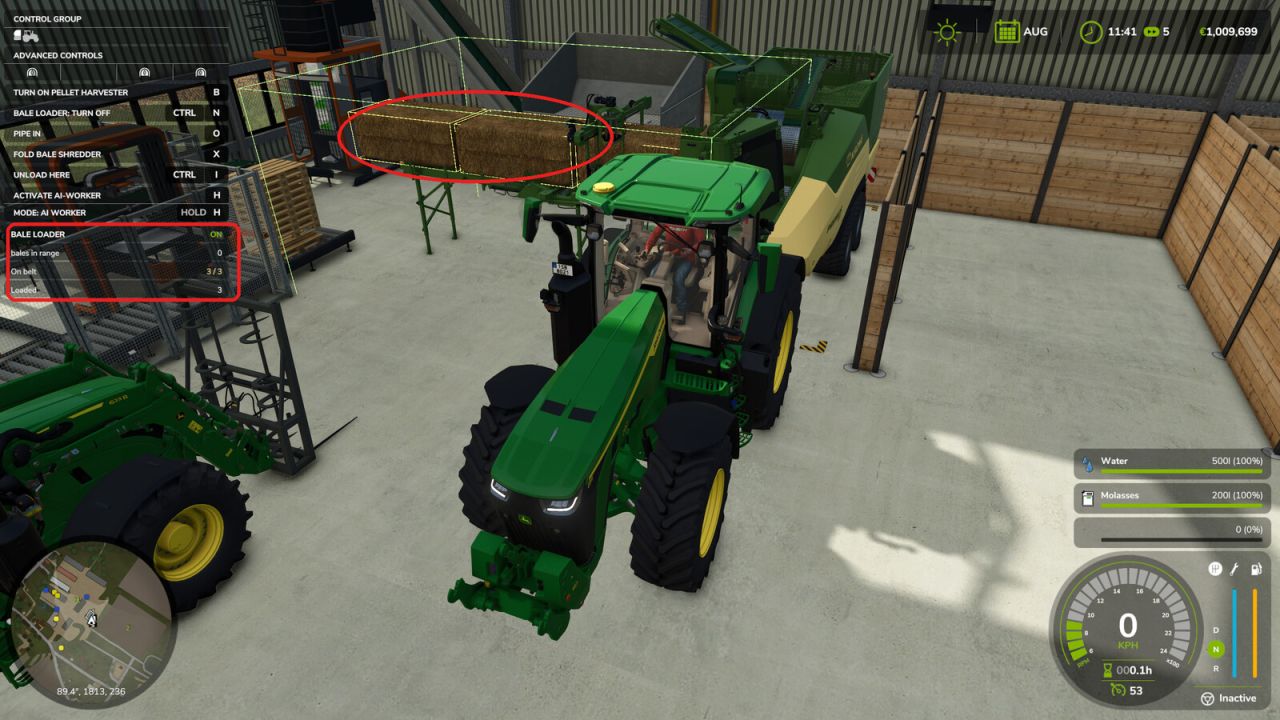
Park the machine, drop your bales next to it, switch the loader on with LEFT CTRL + N, and it feeds them onto the intake conveyor one at a time. Round bales are ignored. The drop height is worked out from the size of each bale, so any square bale fits, and the conveyor is located in the machine itself instead of being guessed from fixed offsets. A small status panel in the top left corner shows how many bales are in range, how many are queued on the belt and how many have gone in.
On-screen markers show where to drop the bales and which places on the belt are free or taken: they are on by default and F6 shows or hides them.
When the belt is full, it waits instead of piling bales on top of each other, and when the tank is full it pauses the machine and starts it again once there is room.
PLEASE READ – this mod changes a machine from the Straw Harvest add-on: it raises the pellet tank of the Premos 5000 from 9,000 to 40,000 litres. Without it the tank fills up long before the bales around the machine are used up, and unattended operation is pointless. The change is applied to the machine at runtime; it does not edit any game file, and removing the mod puts the tank straight back to its original 9,000 litres. If you do not want that machine changed, this mod is not for you.
Single player only. No new vehicles, no models, no textures: it is a script.
Settings live in modSettings/FS25_AutoBaleLoader/settings.xml and are optional. Pick-up zone, drop position, queue length and movement speed can all be adjusted there without opening the zip.
Credits: Bgnak05