ScriptHub Modding construction category v1.0.0.0 LS25
ScriptHub Modding construction category v1.0.0.0 LS25
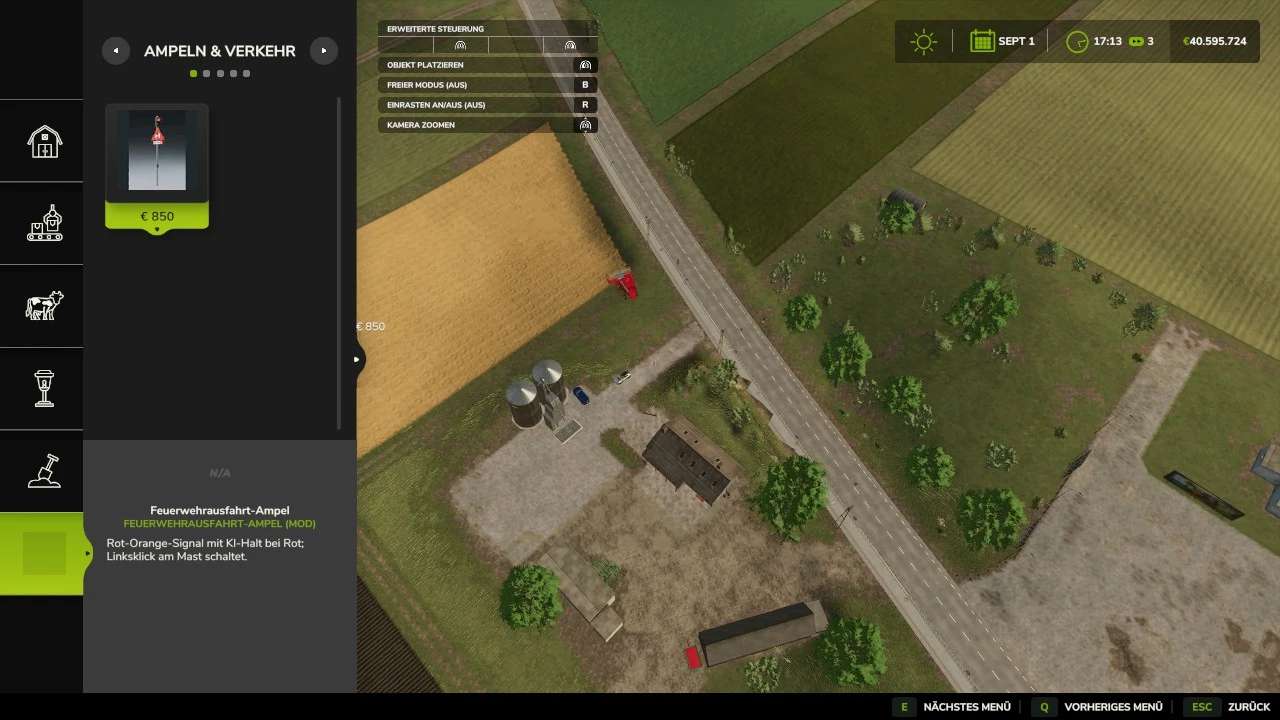
This mod adds a dedicated main category for “ScriptHub Modding” to the construction menu in Farming Simulator 25.
Relevant items such as traffic lights, signs, and other construction objects are organized here in a clear, centralized location.
The category includes five sections:
Traffic Lights & Traffic
Decoration
Signs
Buildings
Miscellaneous
Compatible mods are automatically detected based on the author (“ScriptHub Modding”) or the mod’s name. For example, the “Fire Station Exit” traffic light is automatically assigned to the “Traffic Lights & Traffic” section.
Additional custom mods can be added via the included configuration file.
The category and its sub-sections are identified by the ScriptHub Modding logo and custom icons.
This mod is designed for organization within the construction menu. Please note that the individual object mods must be installed separately and activated in your savegame.
To install, copy the ZIP file (without unzipping it) into your “mods” folder and activate it alongside the relevant object mods.
Please remove any older versions of this construction category before installing.
For LS25 on PC and Mac.