Telekinesis Precision handwork V1.0.2.0 LS25
Telekinesis Precision handwork V1.0.2.0 LS25
Telekinesis — precision handwork for Farming Simulator 25, rewritten
Complete rewrite of Telekinesis with a self-contained input core: keyboard and mouse are read directly, object-carrying logic runs from the mod’s own update loop only, and nothing depends on engine hooks that other mods may intercept. This version fully replaces the old FS25_Telekinesis based on Precision Hands.
KEY FEATURES:
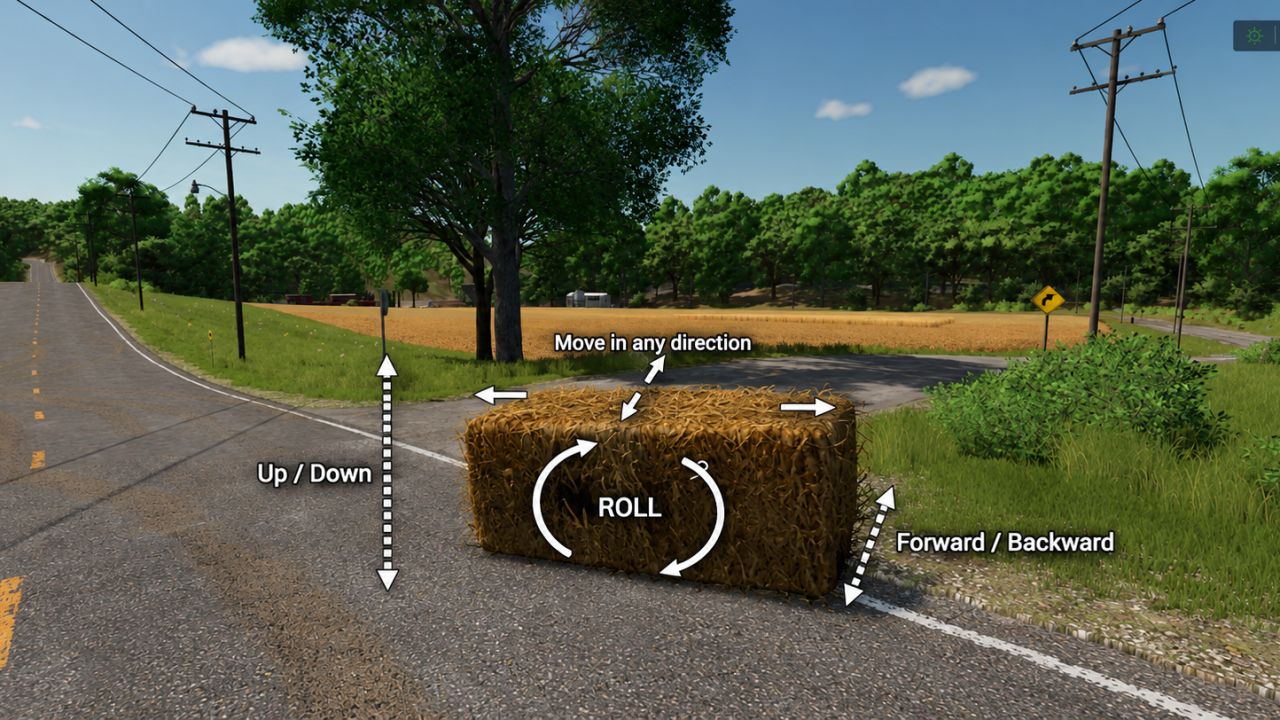
– Full positional control: closer/further, up/down, and fine nudges in four directions
– Roll and tilt: bank left/right plus tilt around the object’s own axis
– Targeting: set a point and the object rotates toward it; full auto-rotation mode included
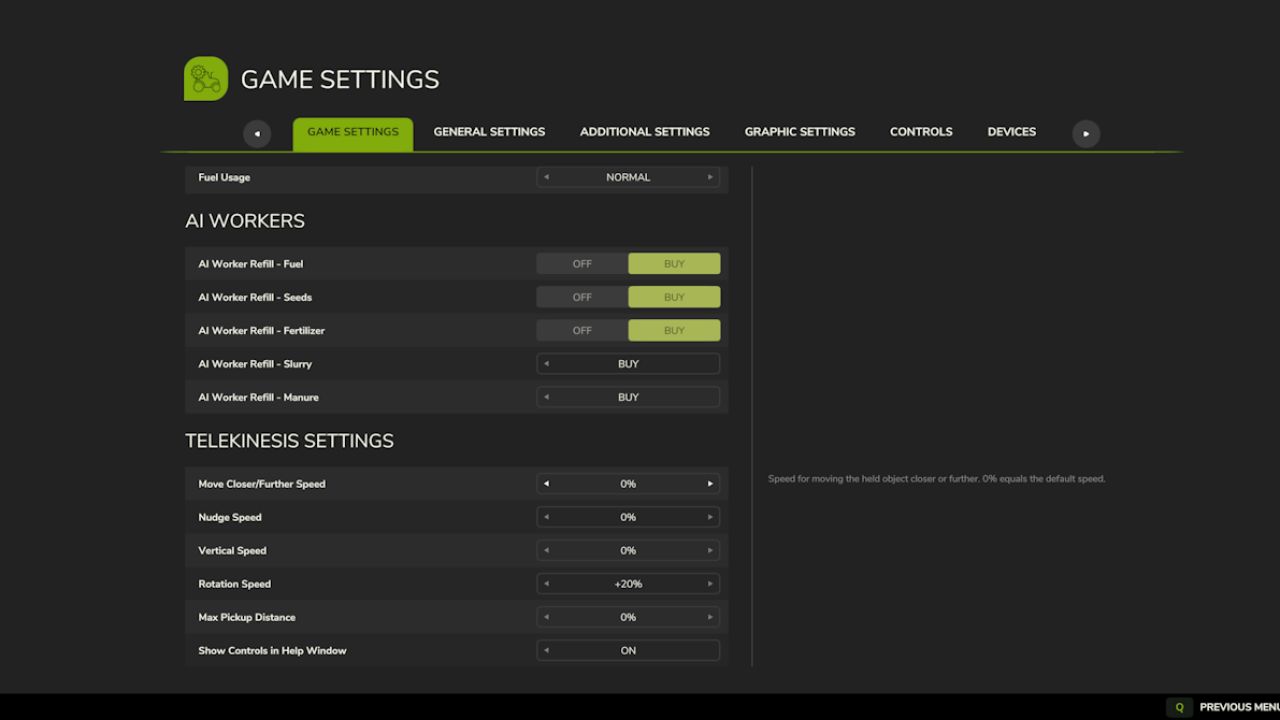
– Fine-tuning: movement, nudge, vertical and rotation speeds plus pickup distance — all under Game Settings > Telekinesis
– Mouse and gamepad friendly: every action works on both devices, and all bindings are remappable in the controls menu
– Conflict-resistant input: keyboard/mouse read raw per frame; gamepad works through standard bindings; both paths are deduplicated so no action ever double-fires
CONTROLS (keyboard and mouse):
– Mouse wheel: move object closer/further
– ALT + mouse wheel: raise/lower the object
– ALT + W/A/S/D: fine alignment nudges
– Q / E: roll left/right
– ALT + Q / E: tilt around the object’s own axis
– ALT + B: set target, clear target, or toggle auto-rotation
(Gamepad: RB + right stick = closer/up, LB + RB + right stick = lower/tilt, RB + D-Pad = nudge; full scheme in the bindings menu.)
– Does not alter character strength: use LumberJack or another super-strength mod for heavy loads
– Settings are stored in modSettings/FS25_Telekinesis/settings.xml
– Rusty Tractor Modding — author of Precision Hands for Farming Simulator 22, whose concept this project is inspired by
– 83Bit — for the FS25 conversion, parts of whose code are used in this version
– The farming community — for feedback and ideas