OZZ SQR 3 – Amber, White & Red DRL Pack (Prefab) V1.0.0.0 LS25
OZZ SQR 3 – Amber, White & Red DRL Pack (Prefab) V1.0.0.0 LS25
OZZ SQR 3 – Amber, White & Red DRL Pack
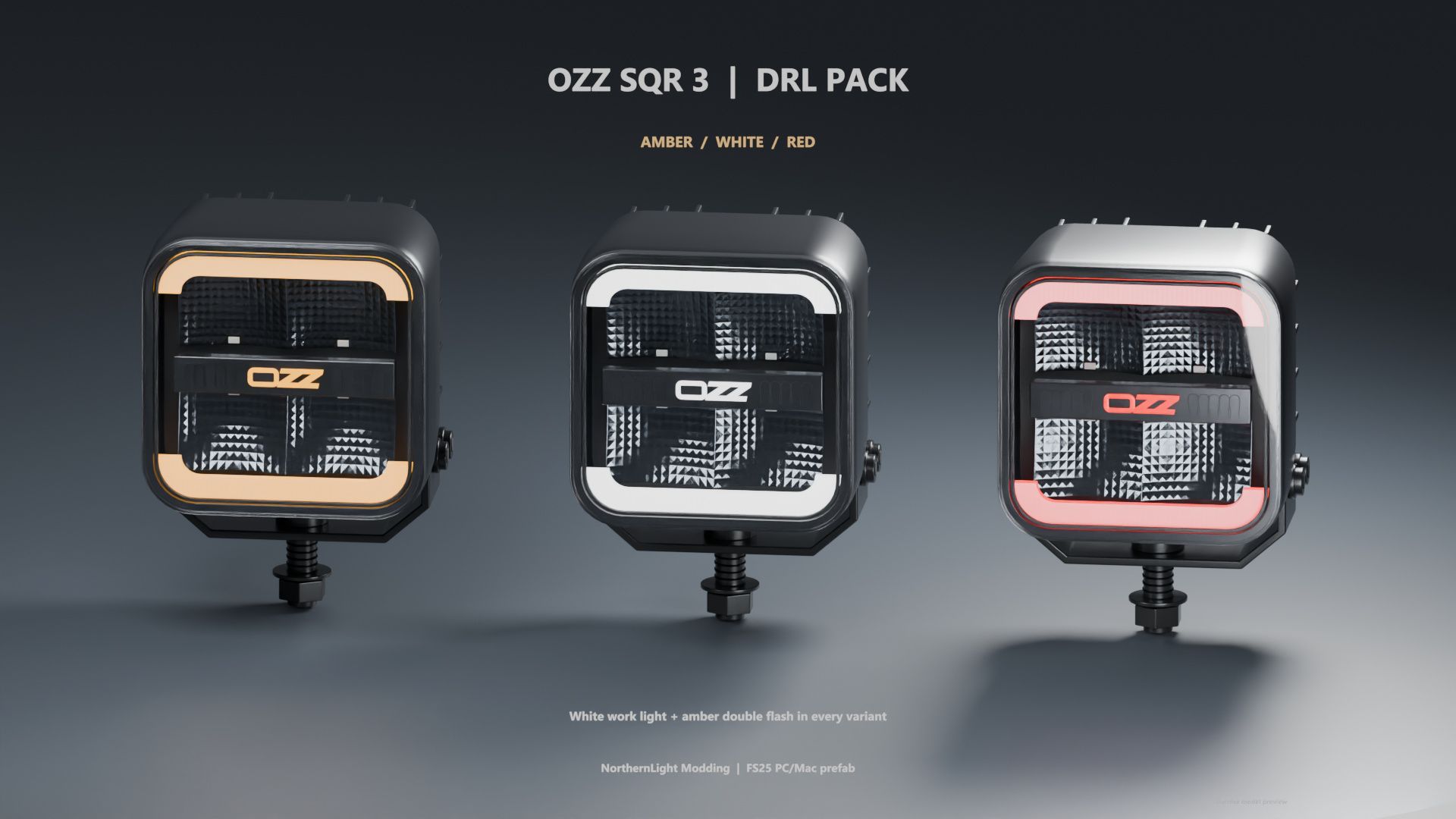
Give your Farming Simulator 25 vehicles an OZZ SQR 3 lighting setup with three DRL colours in one prefab pack: amber, white and red.
Every version includes white work lighting and golden amber double flash. The upper and lower light bands and OZZ logo illuminate in the selected DRL colour while the engine runs. Activating the warning lights switches these surfaces to amber double flash. Your selected DRL colour returns when the warning lights are switched off.
Features:
– Three DRL variants: amber, white and red
– White work lighting
– Golden amber double flash with a real light source
– Adjustable lamp housing with a fixed mounting bracket
– Corrected reflector faces and physical inner housing walls
– Detailed model with LODs
– Editable Blender source files
– English installation guide and XML examples for each variant
– XML helper and required DRL script included
This is a prefab for modders. GIANTS Editor and manual installation into a compatible vehicle mod are required. Register the included DRL script by following the installation guide. The lamps are not standalone shop items.
White and red DRL versions are game adaptations of the reference lamp.
Platform: PC/Mac
Game: Farming Simulator 25
Version: 1.1.0.0