Custom Field Tool V1.2.5.0 LS25
Custom Field Tool V1.2.5.0 LS25
Features
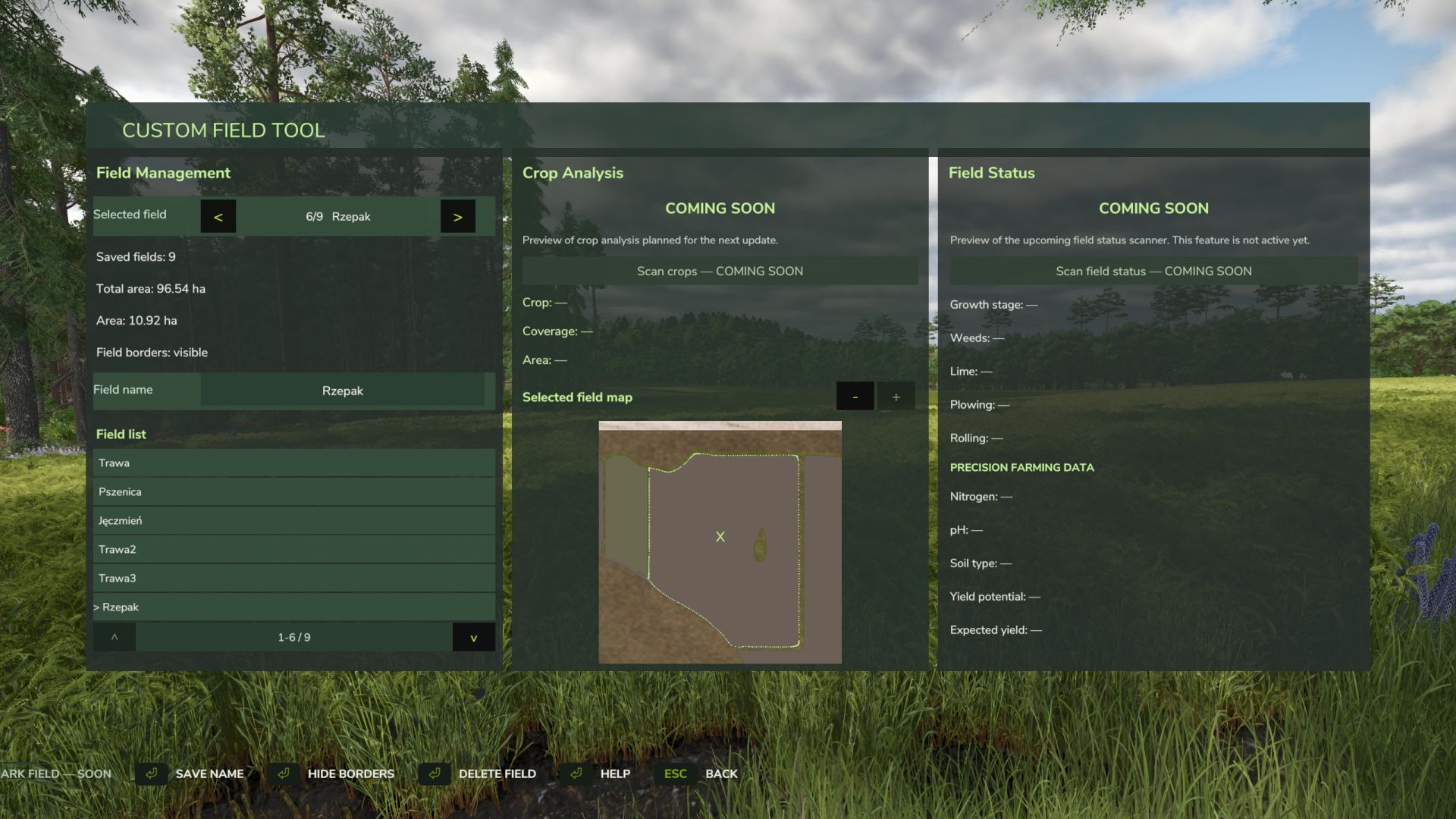
Creating custom field boundaries
Calculating field areas in hectares
Assigning custom names to fields
Displaying or hiding field boundary lines
Managing saved fields using a dedicated list
Dedicated map view for the selected field
Manual map zooming
Clear tablet map without vehicle, shop or other game icons
Deleting saved fields
Automatic integration with the saved game state
Multiplayer support
Fully configurable controls via the standard game settings
Default controls
F2 – Open / close the field tablet
Z – Switch field drawing mode
J – Add boundary point
K – Save current area
All key bindings can be changed in the standard Farming Simulator 25 control settings.
Languages
Polish
English
German
Multiplayer
The mod is still actively being developed, with additional features and improvements planned for future updates.
V1.2.5.0
Mod update from version 1.0.0.0 to 1.2.5.0
Added a point counter while creating a field.
Added the option to remove the last placed point.
Changed the field creation controls to make them more intuitive:
LMB – add point
RMB – undo last point
K – save field
Added a graphical Help section with instructions for creating and saving fields.
Added Help support in Polish, English and German.
Improved the preview GUI and overall readability.
Improved the general usability of the mod.
Next update preview: planned field scanning with detailed information displayed for the selected outlined field.