Fertilizer WorkWidth v1.1.0.0 LS25
Fertilizer WorkWidth v1.1.0.0 LS25
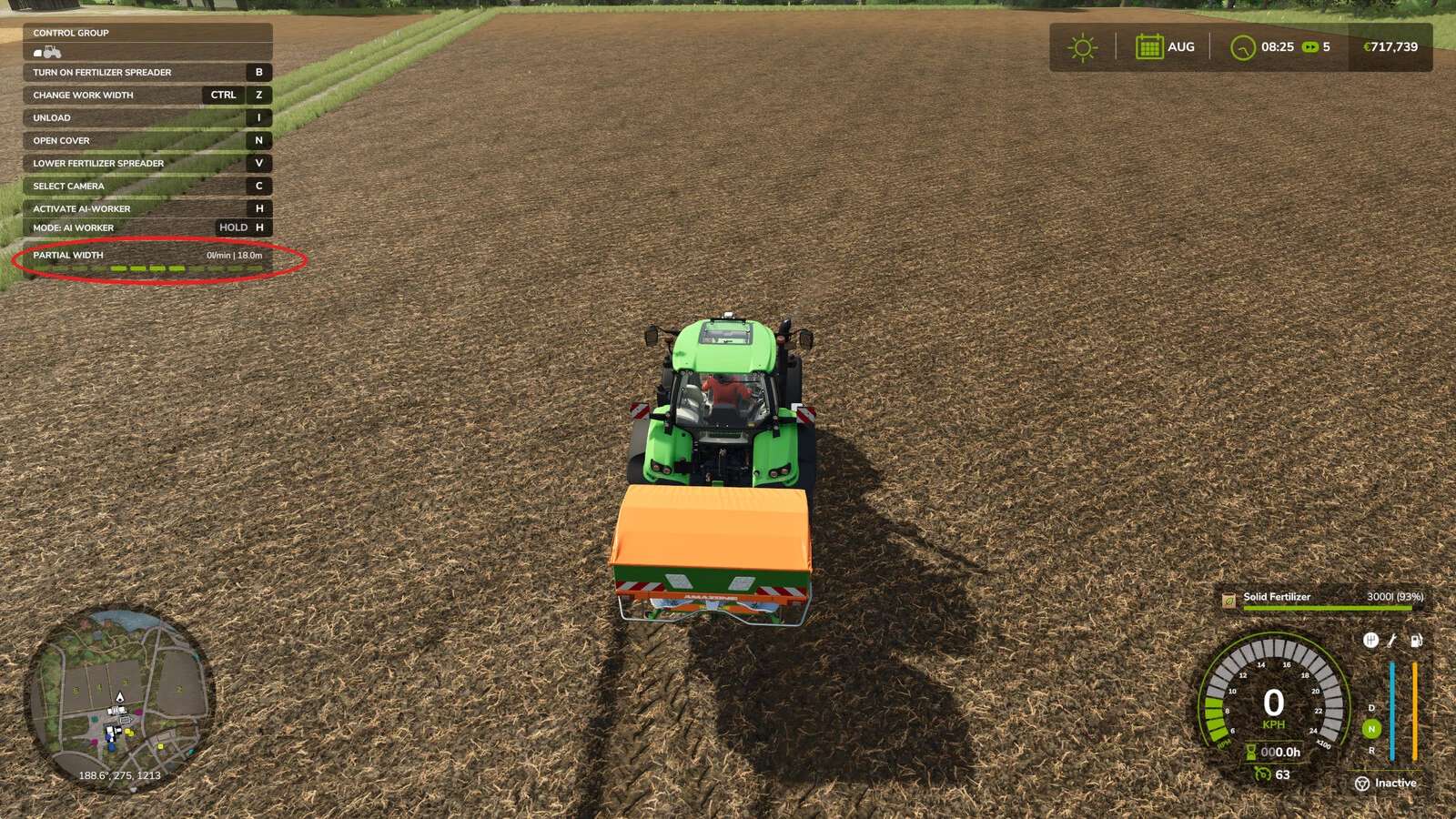
Keeps the section width you selected by hand, instead of resetting it to the implement’s maximum when work is started.
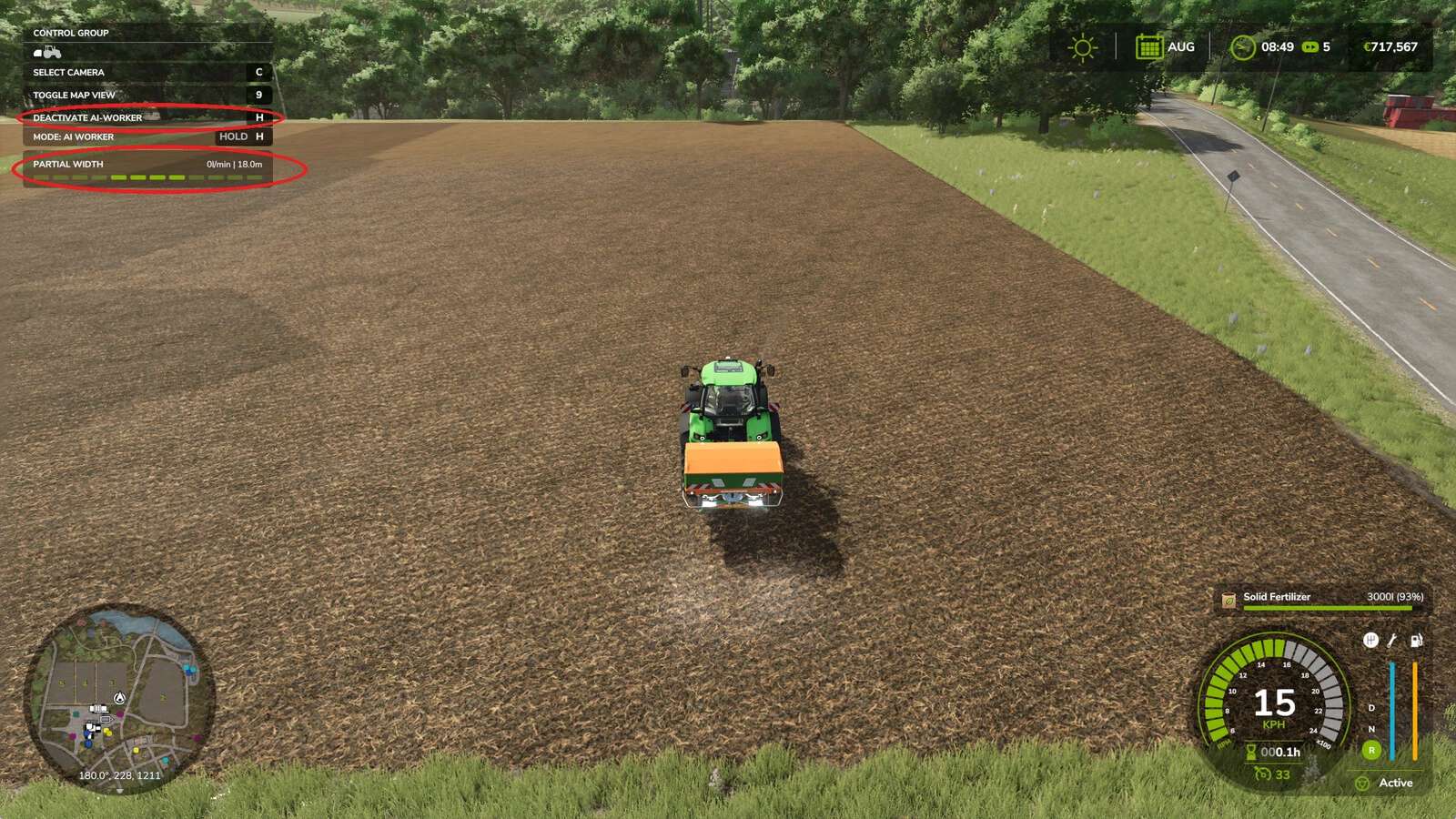
Set a spreader or sprayer to 12 m, hand the job to the AI helper or to Courseplay, and the game reopens every section: you are back to 48 m and working well outside the field. This mod stops that.
How it works: the game already has a flag for this, aiKeepCurrentWidth, which it checks before resetting the sections. It is off by default and no vehicle sets it. The mod simply raises it. No game function is replaced and no behaviour is rewritten, so it does not fight Courseplay or other script mods.
Safety net: if you start work with every section closed, the mod lets the game reopen them, because an implement at zero width would produce a degenerate course. It reports this in the log.
Note: Courseplay reads the working width when it GENERATES the course. Set your width first, then generate.
Works with any implement that has variable work width sections.
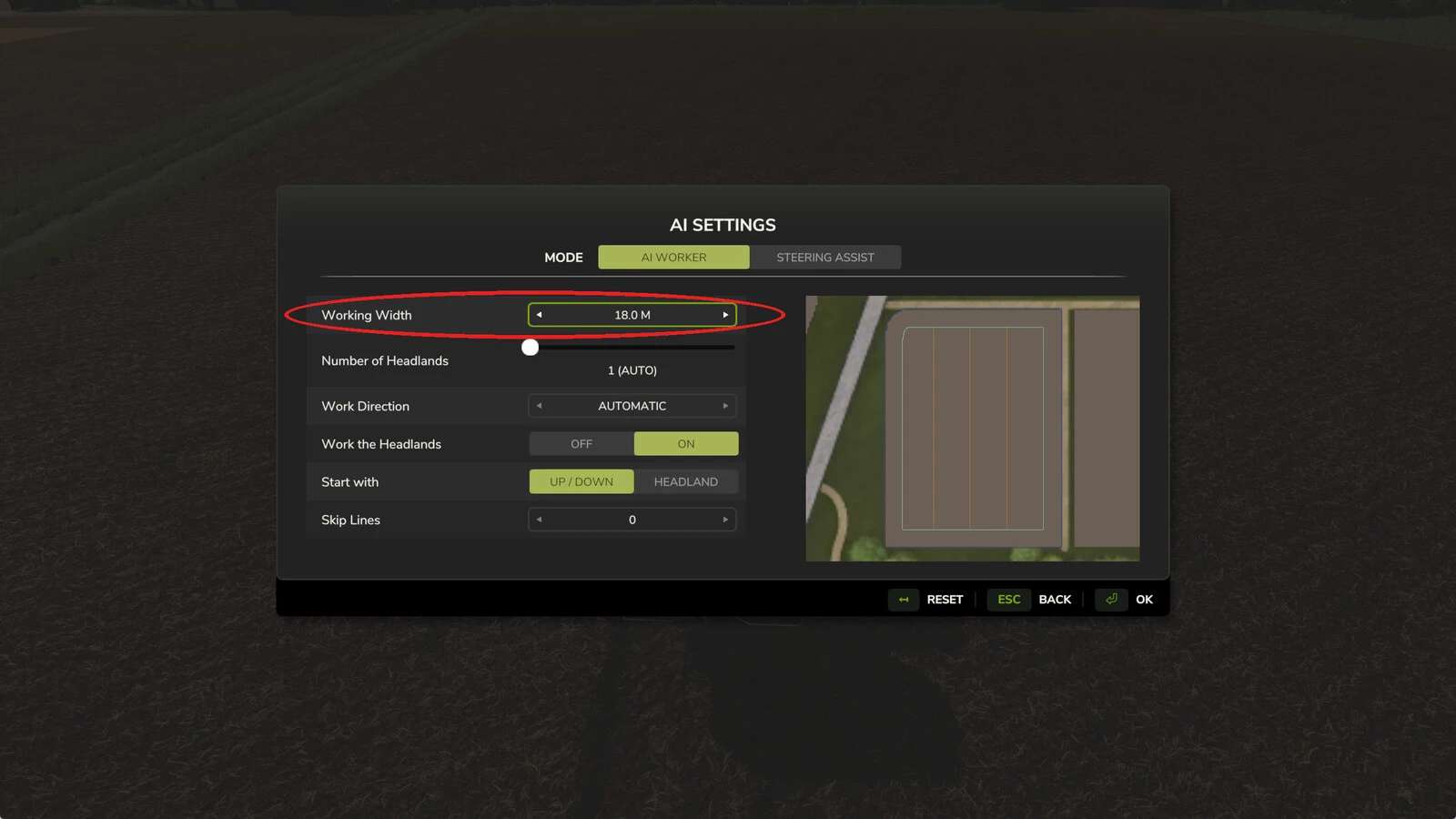
Working width and the built-in AI helper: when you hand over the job, the helper does not read your section setting, it offers the implement’s full width. Set the Working Width field in the AI settings screen to the width you selected, and the mod keeps the sections there for the whole job. With Courseplay the selected width is picked up when the course is generated, so no extra step is needed. Having the built-in helper read it automatically is planned for the next update.
Courseplay compatible: the mod only appends to the vanilla functions, it never replaces them, so Courseplay and other script mods keep working alongside it. Tested with Courseplay 8.1.0.3.
Credits: Bgnak05