Build Menu: Husbandry Storage Info V1.0.0.0 LS25
Build Menu: Husbandry Storage Info V1.0.0.0 LS25
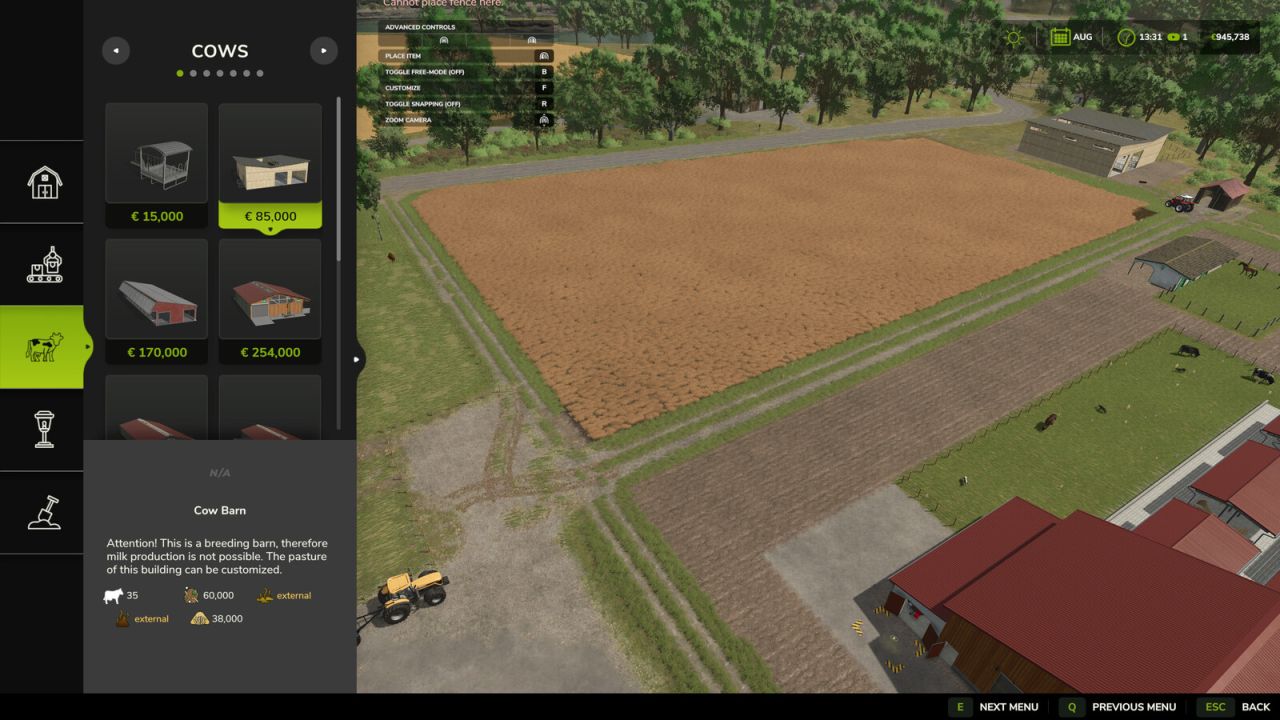
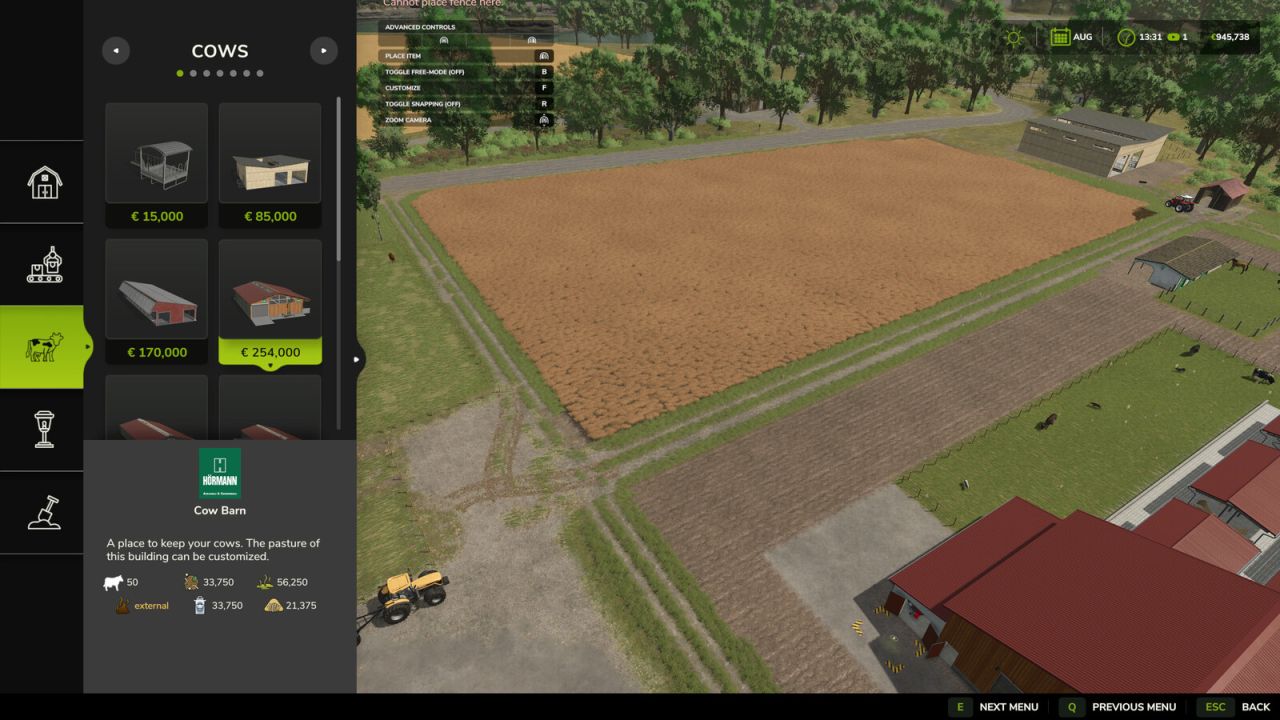
See an animal husbandry’s storage capacities BEFORE you place it.
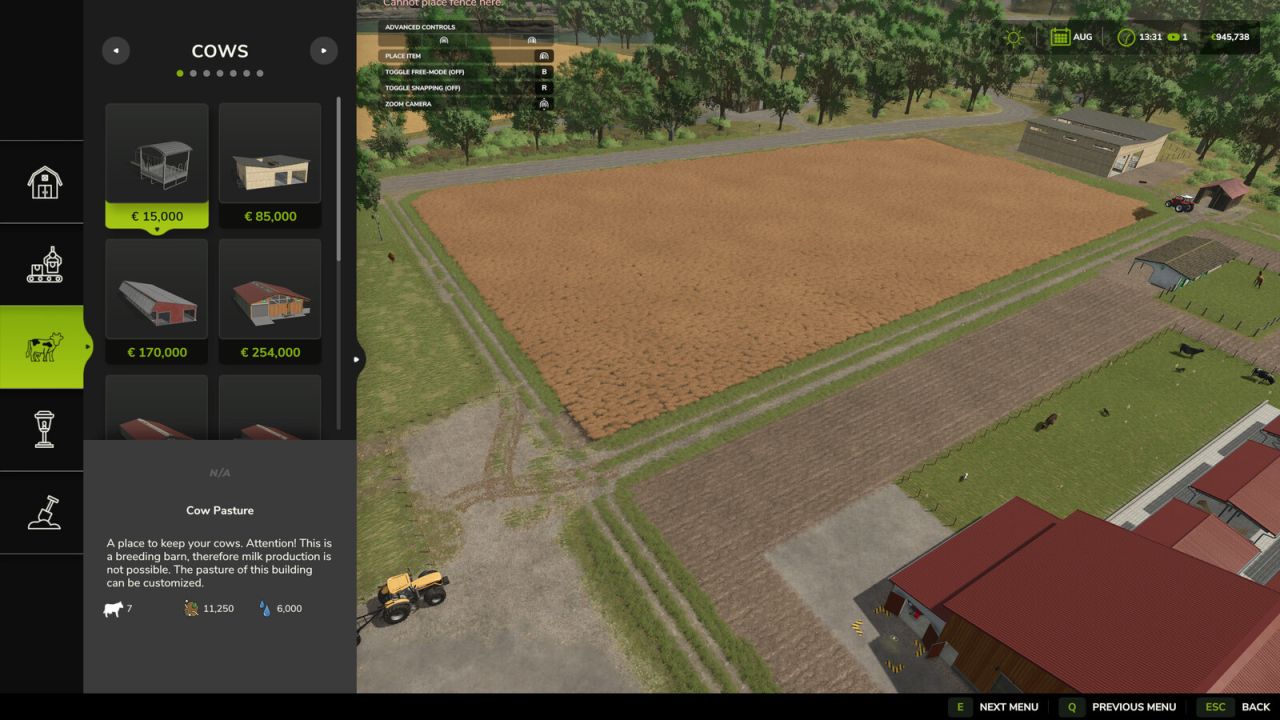
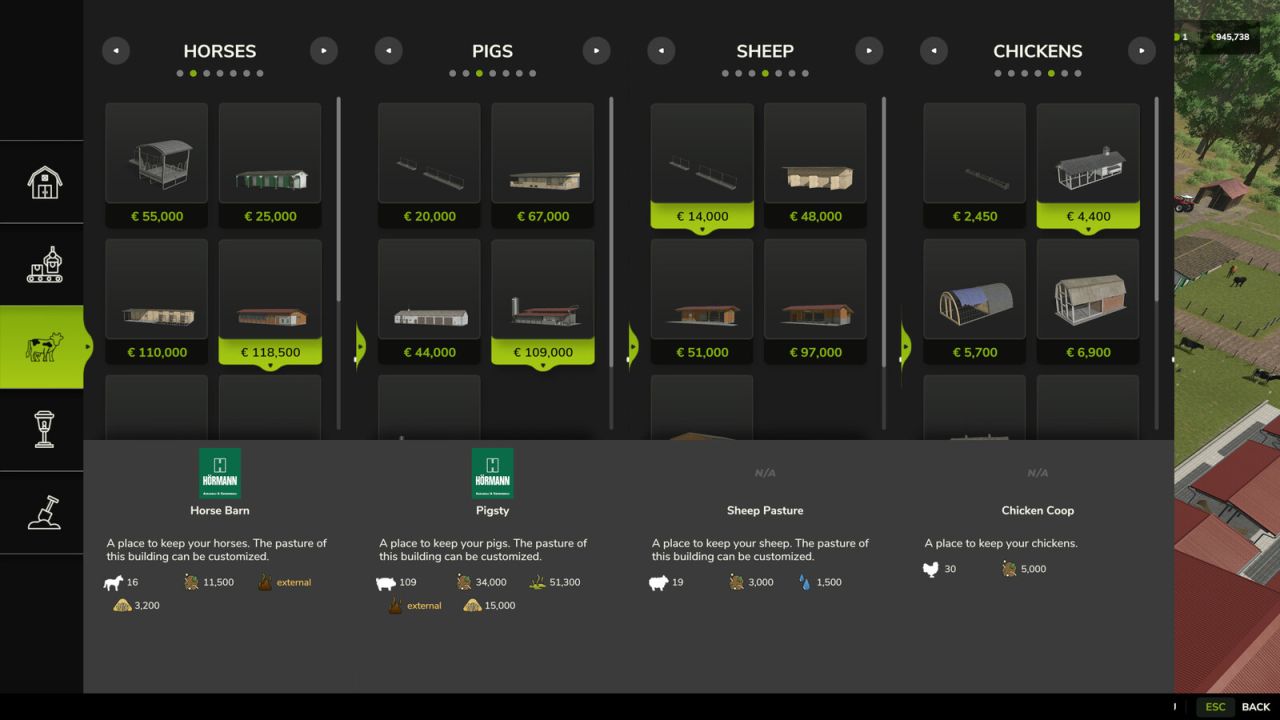
In the construction menu (and the shop) each barn shows, inline next to the animal count, the storage capacity for its feed trough, slurry (liquid manure), manure, milk, straw and water – each with its fill-type icon.
The key for planning: if a barn produces slurry or manure but has NO internal storage, the value reads “external” and the whole label turns orange – that means you must also place a separate slurry pit / manure heap nearby. If the animal type does not produce something, that line is simply omitted (e.g. pastures, chicken coops).
Pure display add-on: it only reads the stored data and changes nothing in gameplay, savegames or multiplayer. The redundant feed-type icon strip is hidden for husbandries to make room.
Credits: Aekzl