Machinery Pie Menu V1.3.0.1 LS25
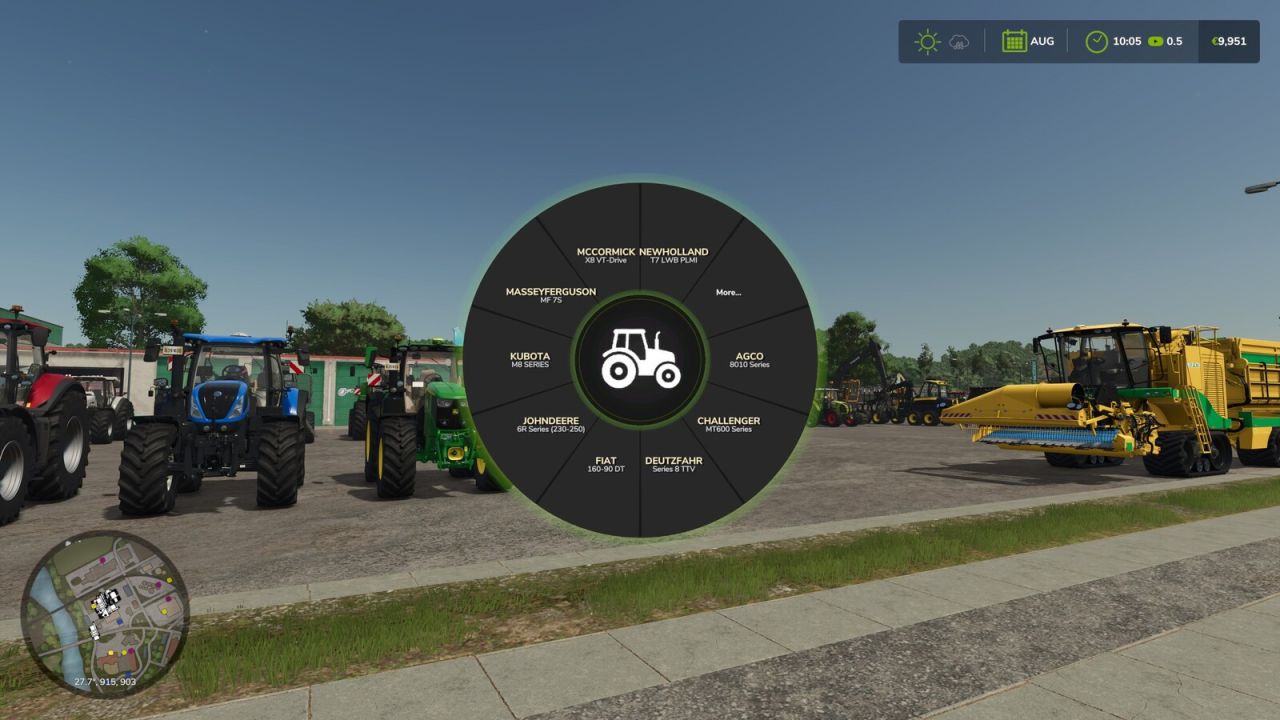
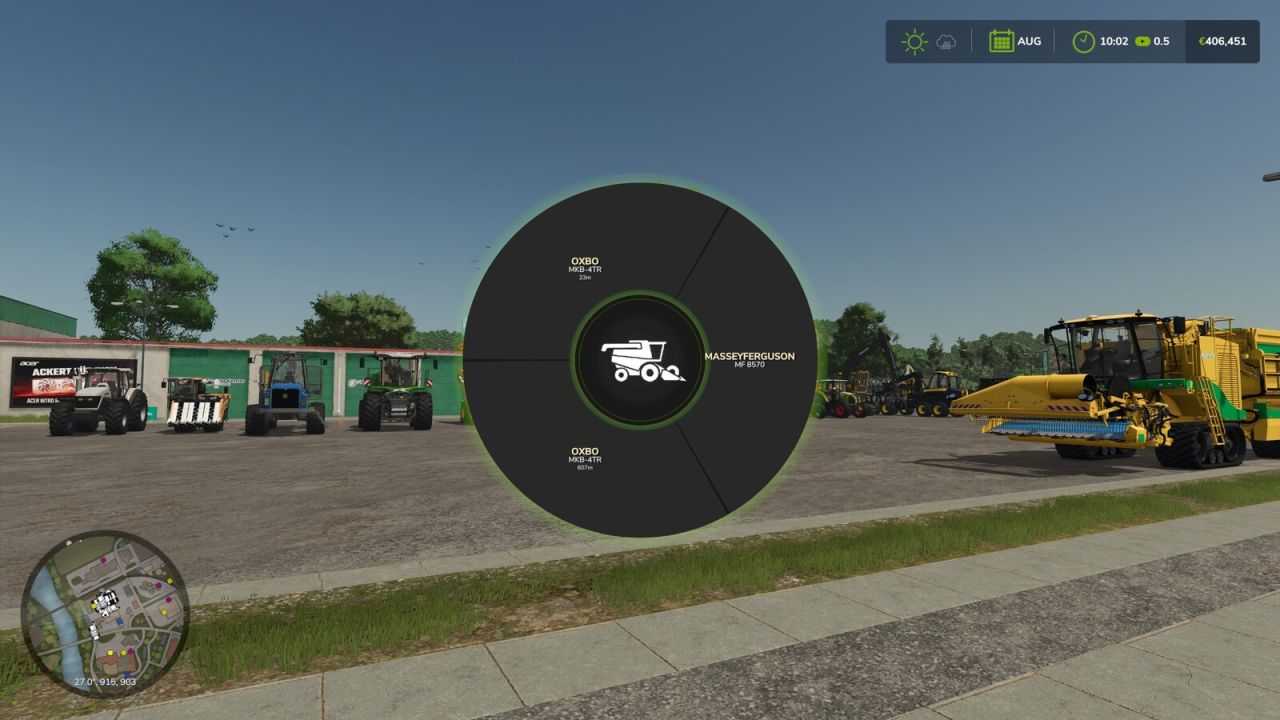
Machinery Pie Menu V1.3.0.1 LS25
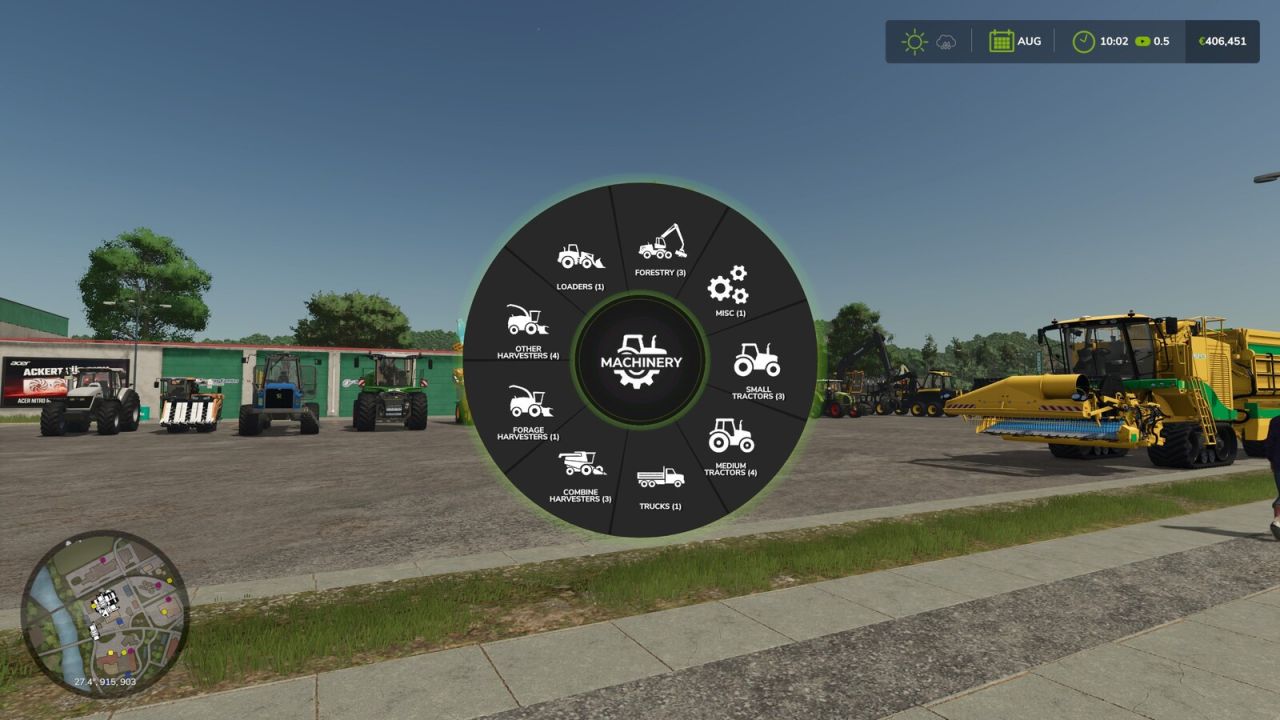
Machinery Pie Menu adds a fast radial vehicle selector to Farming Simulator 25.
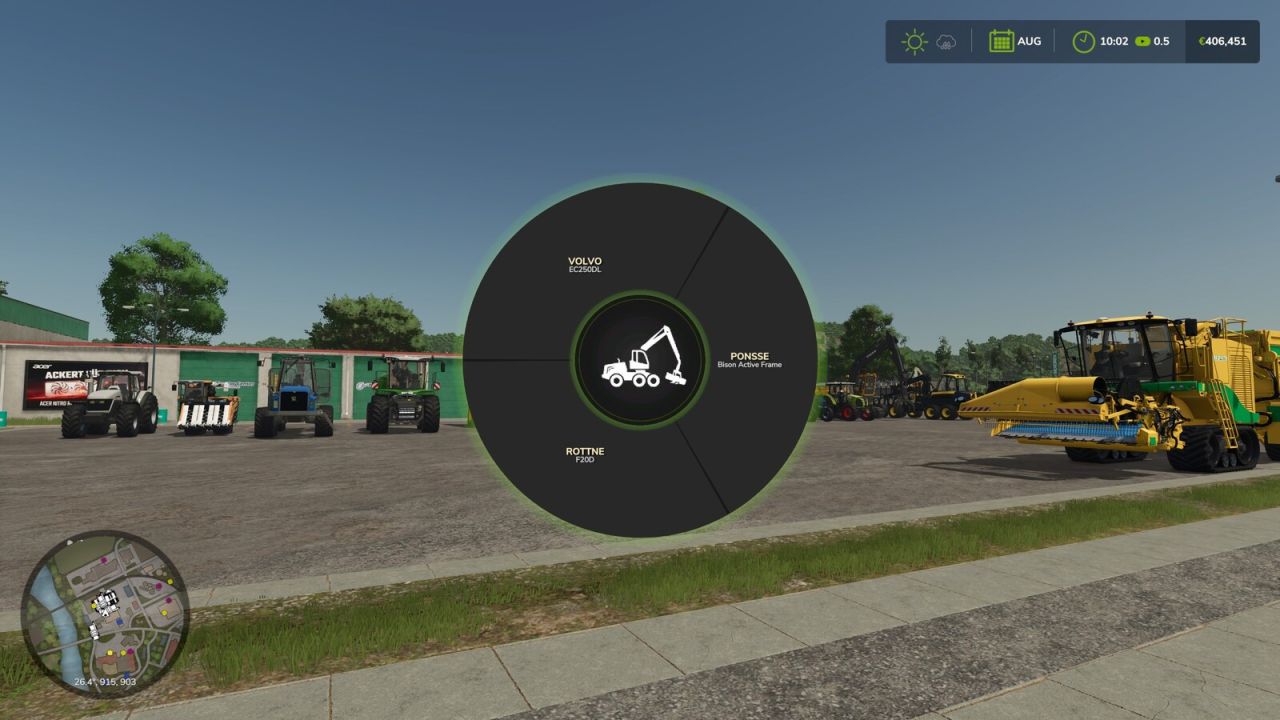
Press T to open the menu, choose a machinery category, then select a machine from your farm and switch directly into it.
FEATURES:
– Two-step category and machine selection
– Center icon changes to the selected category
– Only enterable vehicles from the local farm are shown
– Native FS25 vehicle switching flow
COMING SOON:
– Favorites and recently used
– Free-text machine search
– Compact status badges
– Harvester category cleanup
Default key: T
Credits: ho11yg