GE10 Script – TreeGenerator (Prefab) V1.0.0.0 LS25
GE10 Script – TreeGenerator (Prefab) V1.0.0.0 LS25
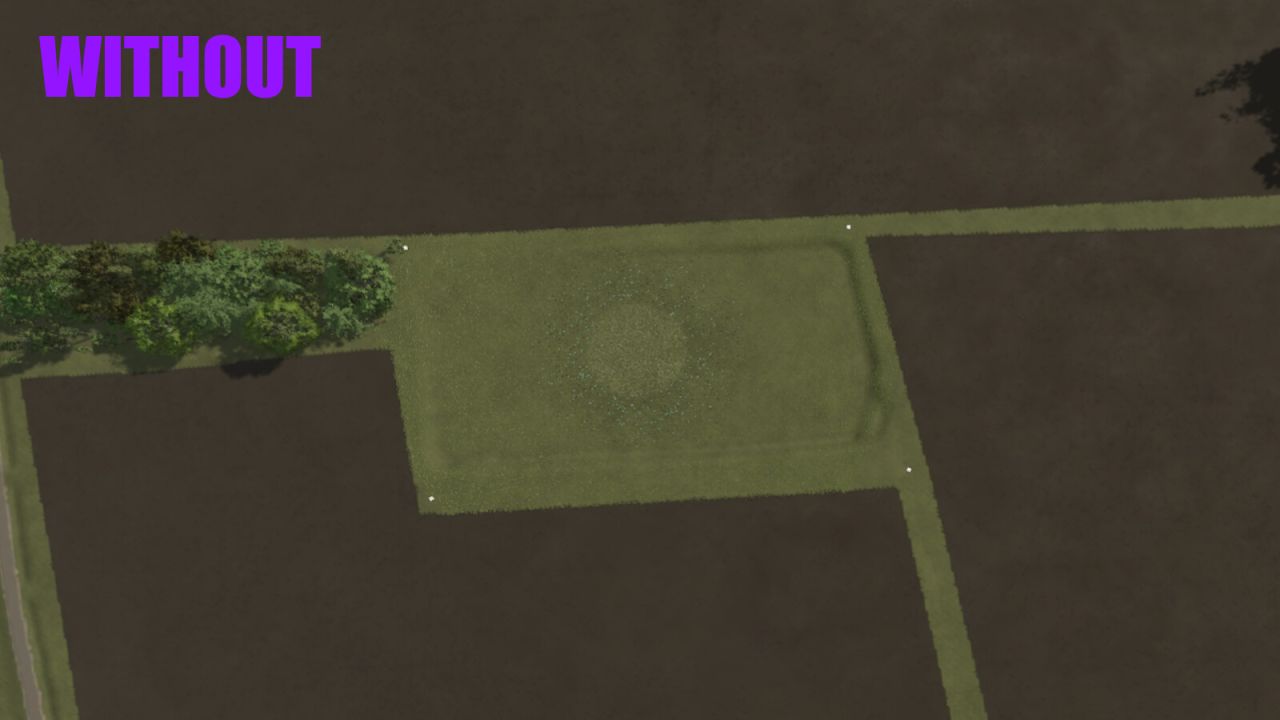
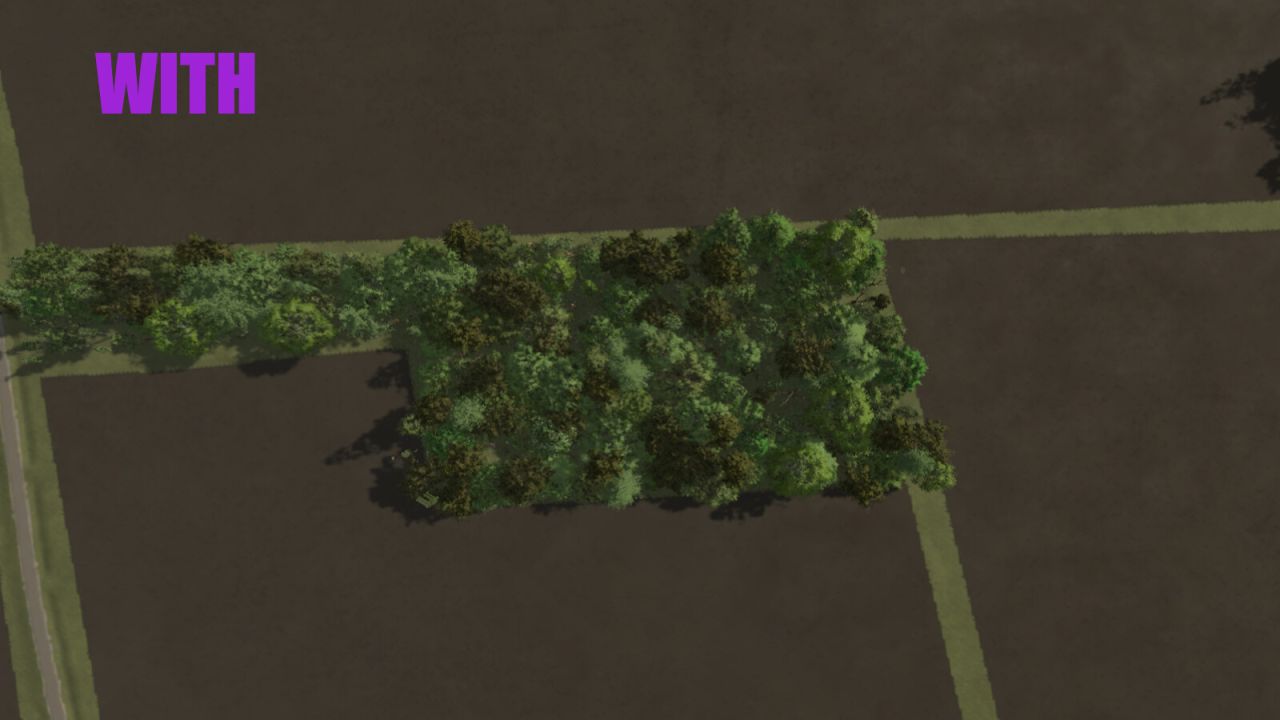
With this practical script for the GIANTS Editor 10, a complete forest can be automatically created. The Random Tree Generator offers a simple way to randomly place trees from an existing pool within a defined area – considering minimum distances, terrain alignment, and random rotation.
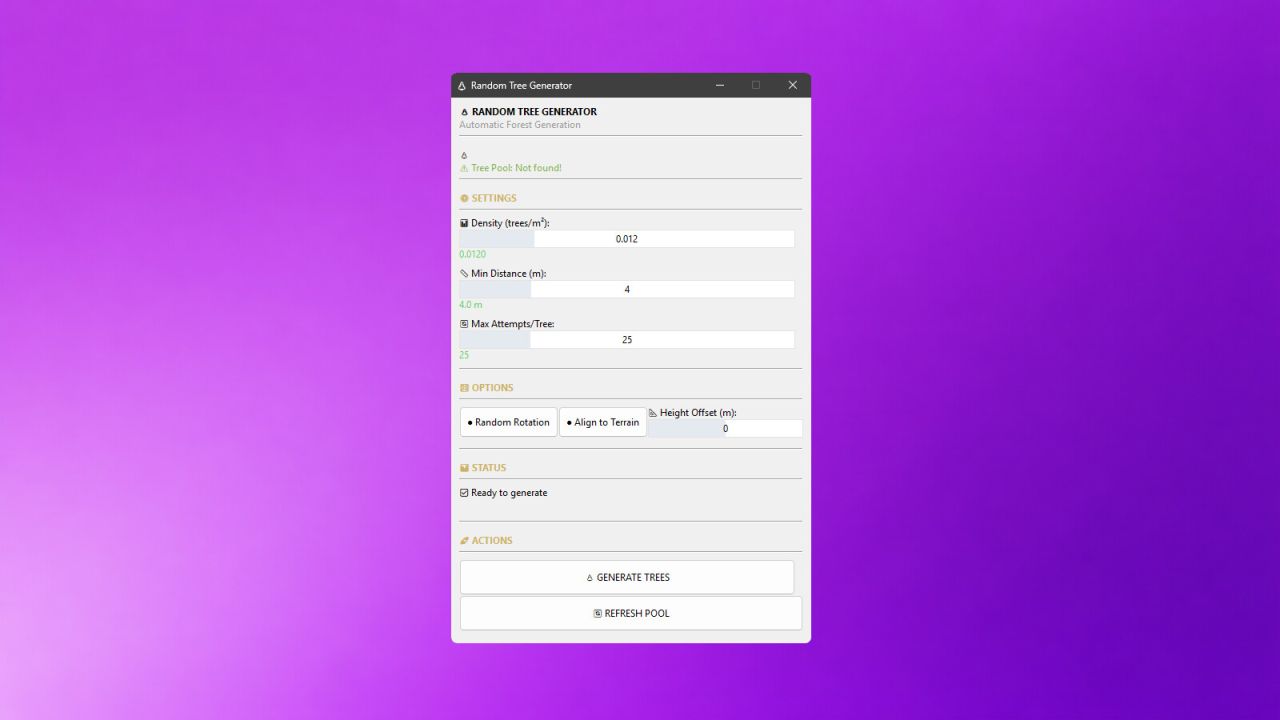
The tool allows any area (treeArea) to be defined as a forest area and automatically filled with trees from a treePool. Density, minimum distance, height alignment, and rotation can be individually adjusted.
A special focus is on user-friendliness:
– Easy configuration via a graphical user interface
– Real-time progress display during generation
– All trees are automatically grouped together (autoForest_X)
– Clear status messages and error notifications
For maximum control, the script offers numerous configuration options:
Density (trees/m²):
Determines how many trees are generated per square meter. Higher values create denser forests.
Minimum Distance (m):
Defines the minimum distance between two trees. Prevents overlaps and ensures natural distribution.
Max Attempts per Tree:
Specifies how many times the script tries to find a suitable spot for a tree. Higher values increase the success rate in dense forests.
Random Rotation:
Activates random rotation of each tree around its own axis. Provides more variety.
Align to Terrain:
Automatically adjusts the height of each tree to the terrain surface. Prevents floating or buried trees.
Height Offset (m):
Vertically shifts the trees. Positive values raise them, negative values lower them.
The tool is aimed at both beginners and experienced modders and significantly speeds up the creation of forests and woodland areas on custom maps.
Installation:
1.) Navigate to the installation directory of the GIANTS Editor.
Default: “C:/UsersUser/AppData/LocalGIANTS Editor 64bit 10.0.11+”
2.) Copy the file “TreeGenerator.lua” into the scripts folder of the GIANTS Editor.
“C:/Users/User/AppData/LocalGIANTS Editor 64bit 10.0.11+/scripts/”
3.) The script is then available in the GIANTS Editor via the menu bar under “Scripts”.
Scene Preparation:
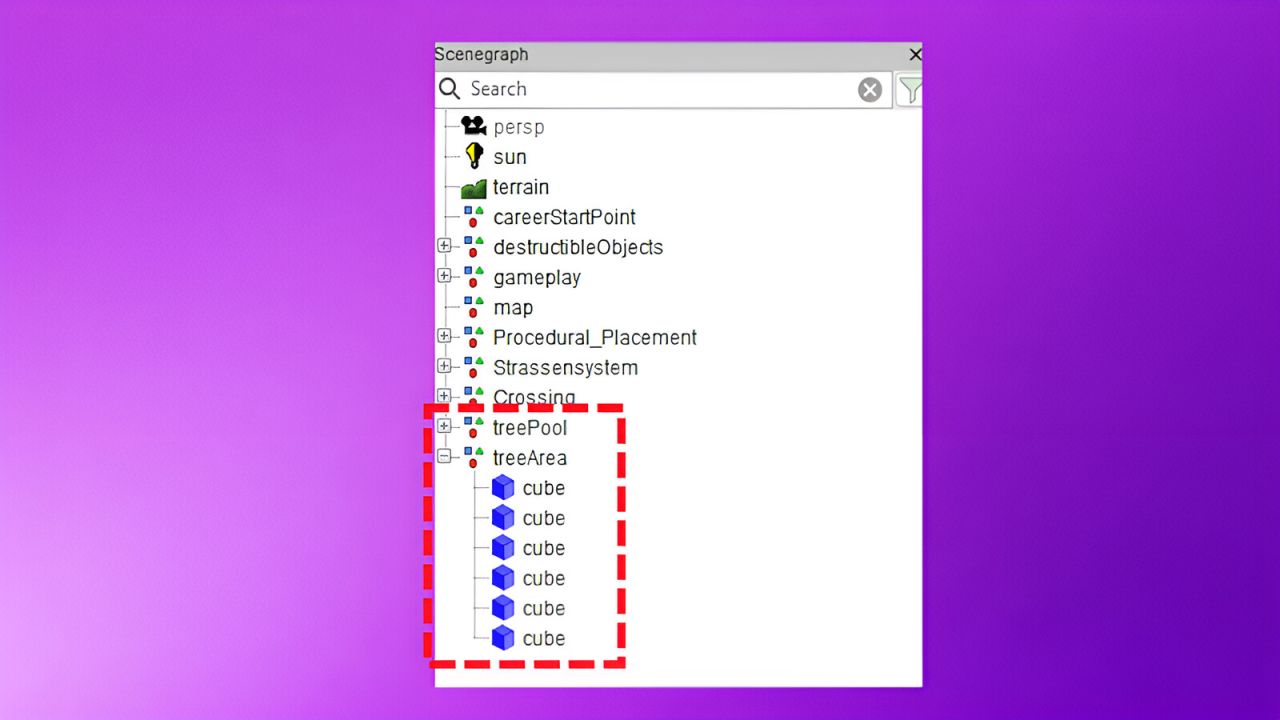
Before you can use the script, your scene must have the following structure:
Root
├── terrain
├── treeArea (TransformGroup with cubes or other objects)
├── point1
├── point2
├── point3
└── point4 …
└── treePool (TransformGroup with tree models)
├── treeOak01
├── treeSpruce01
├── treeBirch01
└── …
The treeArea defines the area in which trees are generated. Each child of this group represents a corner point of the polygon. At least three points are required.
The treePool contains the template trees from which random selection is made. The more different trees, the more varied the forest will be.
Troubleshooting:
“treeArea not found!”
> The TransformGroup “treeArea” does not exist in the scene.
“treePool not found!”
> The TransformGroup “treePool” does not exist in the scene.
“No trees in treePool!”
> The treePool contains no tree models.
“treeArea needs at least 3 points!”
> The treeArea contains fewer than 3 points.
“No trees generated!”
> The area is too small or the density is too low.