Shop Mod Labels – New And Updated V1.1.0.0 LS25
Shop Mod Labels – New And Updated V1.1.0.0 LS25
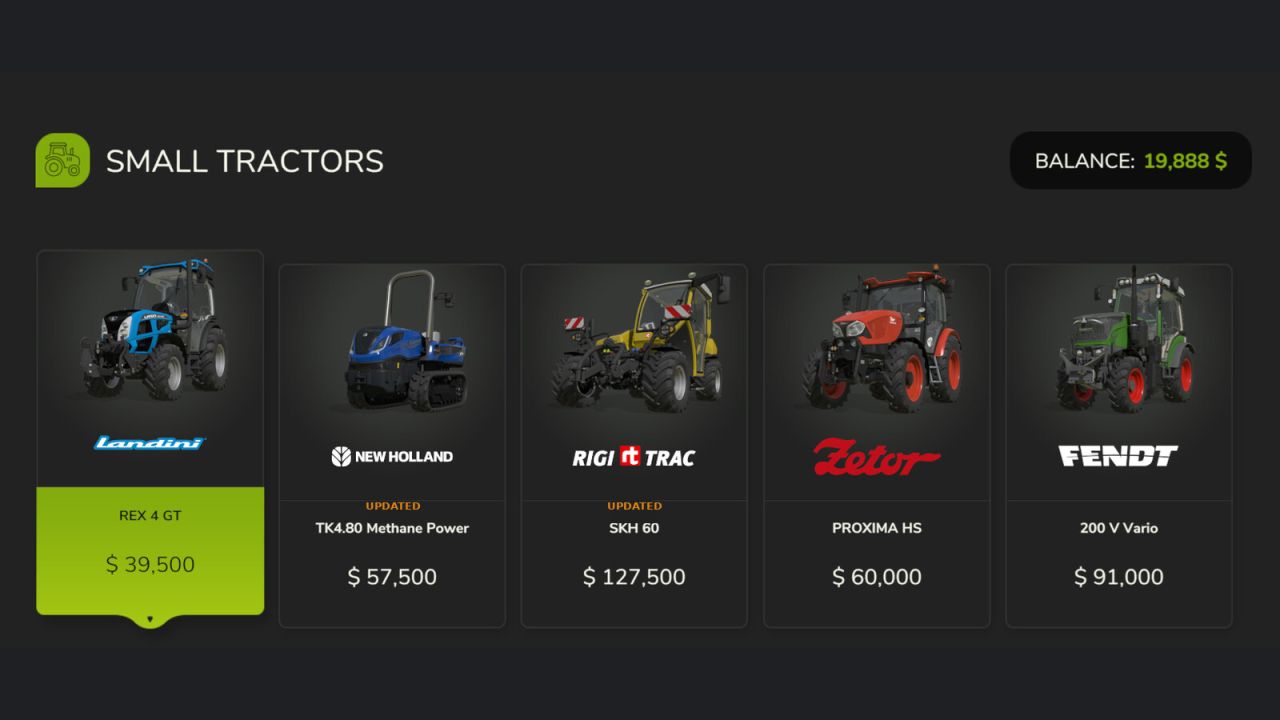
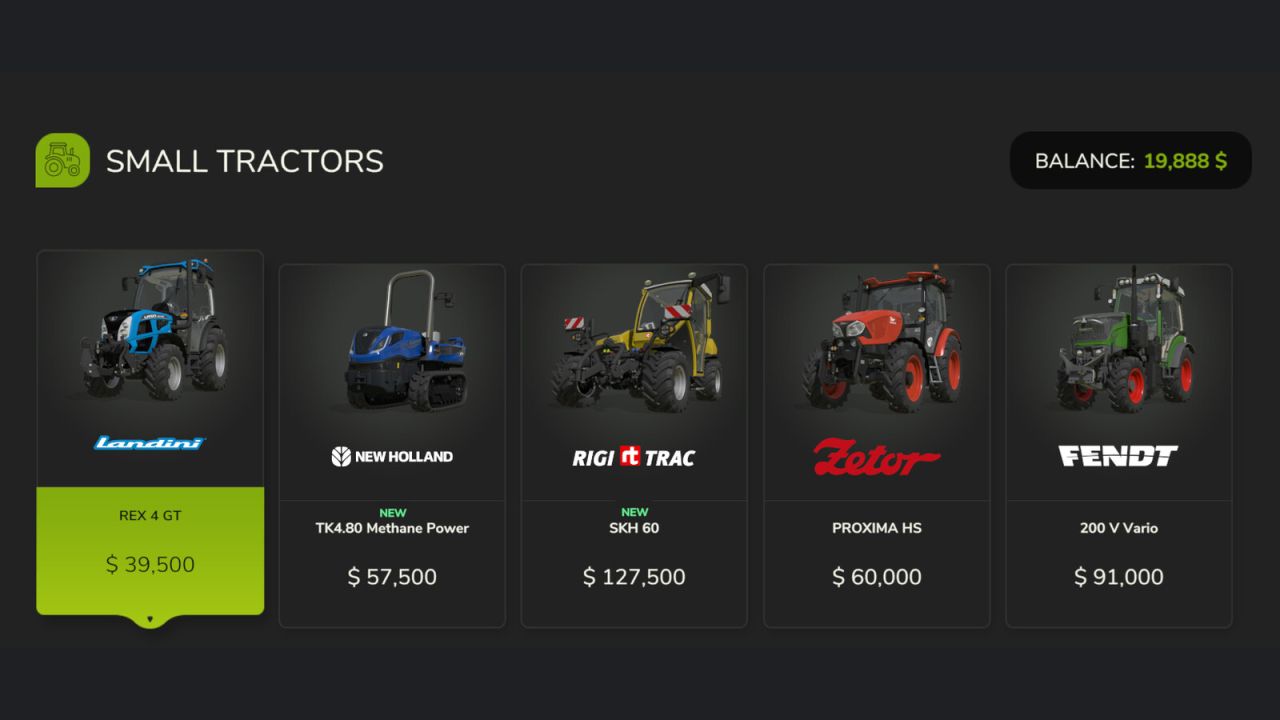
Displays a coloured ribbon label on shop item tiles to help you keep track of what is new or updated in your mod collection.
A green NEW label appears on any mod you have not seen before in the shop. An orange UPDATED label appears when a mod’s version number increases. Both labels are shown for 14 days before fading away automatically.
Note: UPDATED only appears if the mod version increases after your first run of the game with this mod installed.
GENERAL SETTINGS
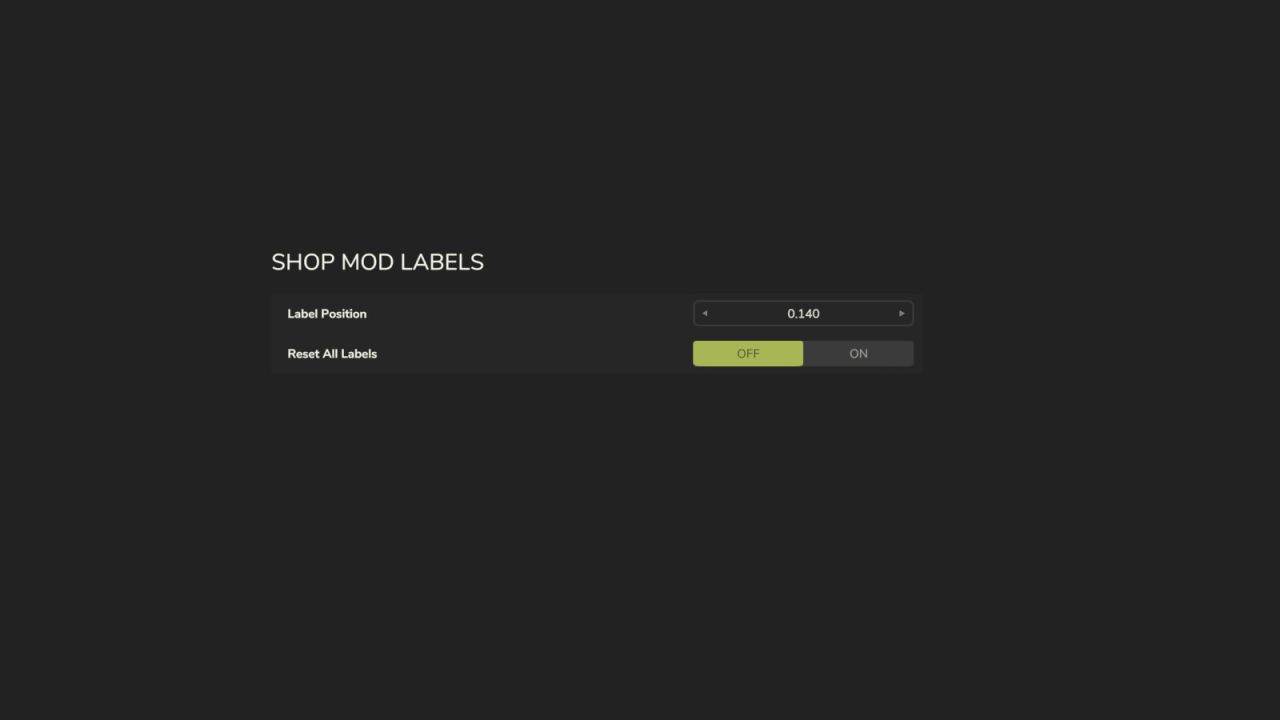
A dedicated section is added to the General Settings menu with two options:
– Label Position: A stepper control (◄ value ►) lets you fine-tune the vertical position of the labels on shop tiles. The starting position is automatically chosen based on your screen resolution — standard 16:9, widescreen, and ultrawide 21:9 displays are all detected at startup.
– Reset All Labels: Clears the history of all seen and updated mods, so every item in the shop will show as NEW again. Useful after a fresh start or a large mod list change.
Settings are saved and persist between play sessions.
V1.1.0.0
– Added Label Position stepper in General Settings (â—„ value â–º)
– Automatic aspect ratio detection at startup: 16:9, widescreen, and ultrawide 21:9
– Label position is user-configurable and persists between sessions
– Fixed ghost label issue when changing position
– Reset All Labels option in General Settings