Radial Vehicle Switcher v1.1.0.0 LS25
Radial Vehicle Switcher v1.1.0.0 LS25
Changelog 1.1.0.0 (BETA):
– Changed: Mod status switched from Release to BETA. Experimental versions will now be marked as such in the changelog.- Added: Detailed in-game manual in the Help Menu (ESC). It includes control instructions, screenshots, a warning about the experimental (BETA) stage of the new features, and a startup pop-up notification.
– Added: New AI command mode (COMMAND). Issue orders to hired workers directly from the radial menu (Harvesting, Sowing, Plowing, Fertilizing, Weeding and more). The menu automatically detects field state and disables unavailable tasks.
– Added: Smart field analysis. Tasks are automatically locked based on field state (harvested/not harvested, ready to harvest, weed presence etc.).
– Added: Seed switching inside the menu. In SOW mode the seeder’s crop type can be changed without closing the menu. Out-of-season crops are shown greyed out.
– Added: Separate file RadialVehicleSwitcher_AI.lua for all AI job logic.
– Improved: Vehicle categorization with fallback via typeName and spec_enterable for vehicles without a shop entry (missions, scripted spawns).
– Improved: More reliable player position detection with nil protection on rootNode.
IMPORTANT: Please read the in-game Help menu (ESC) first before using the mod! It contains essential instructions on how to properly set up your keybinds and how to use the new experimental AI command mode.
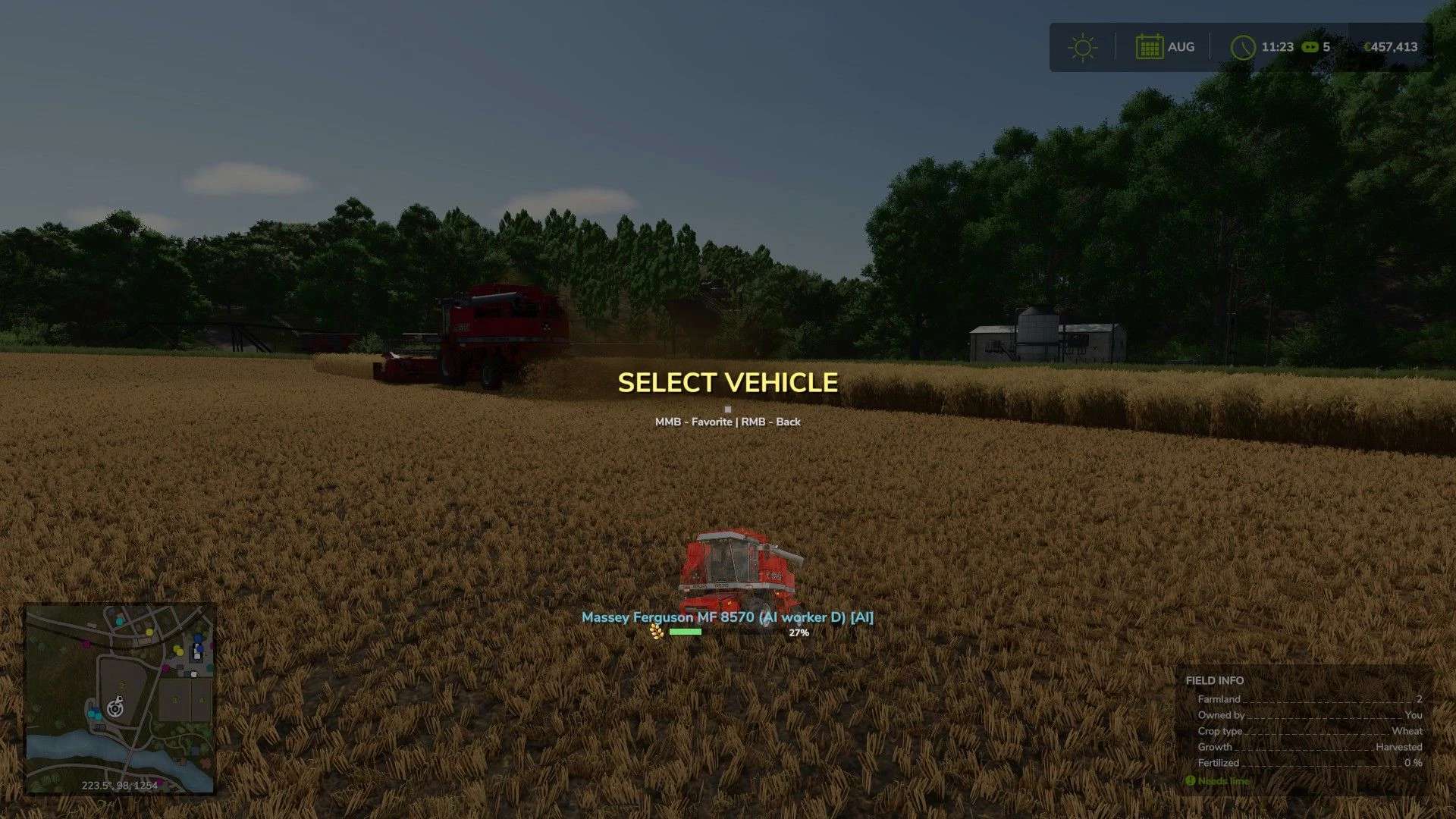
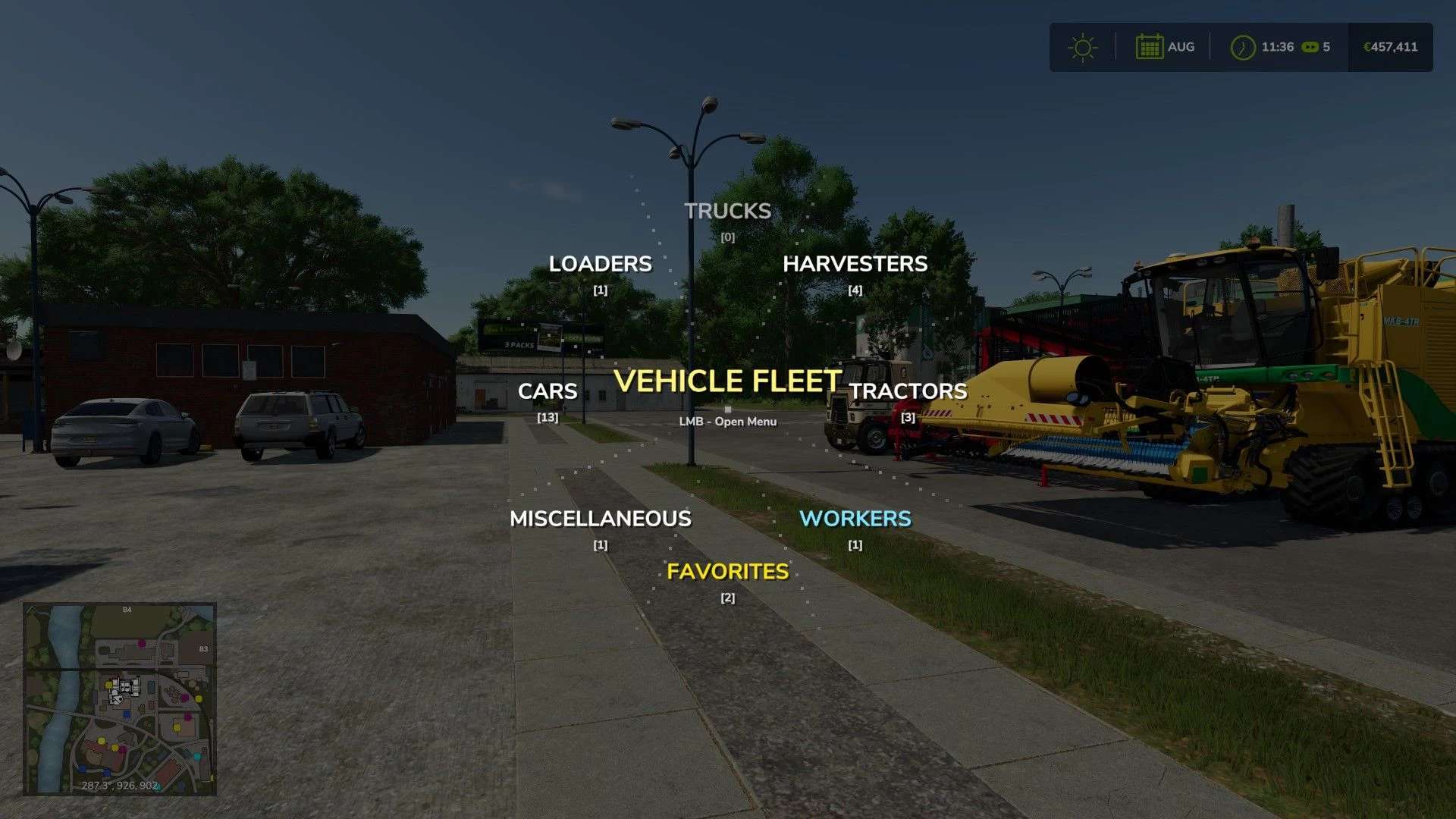
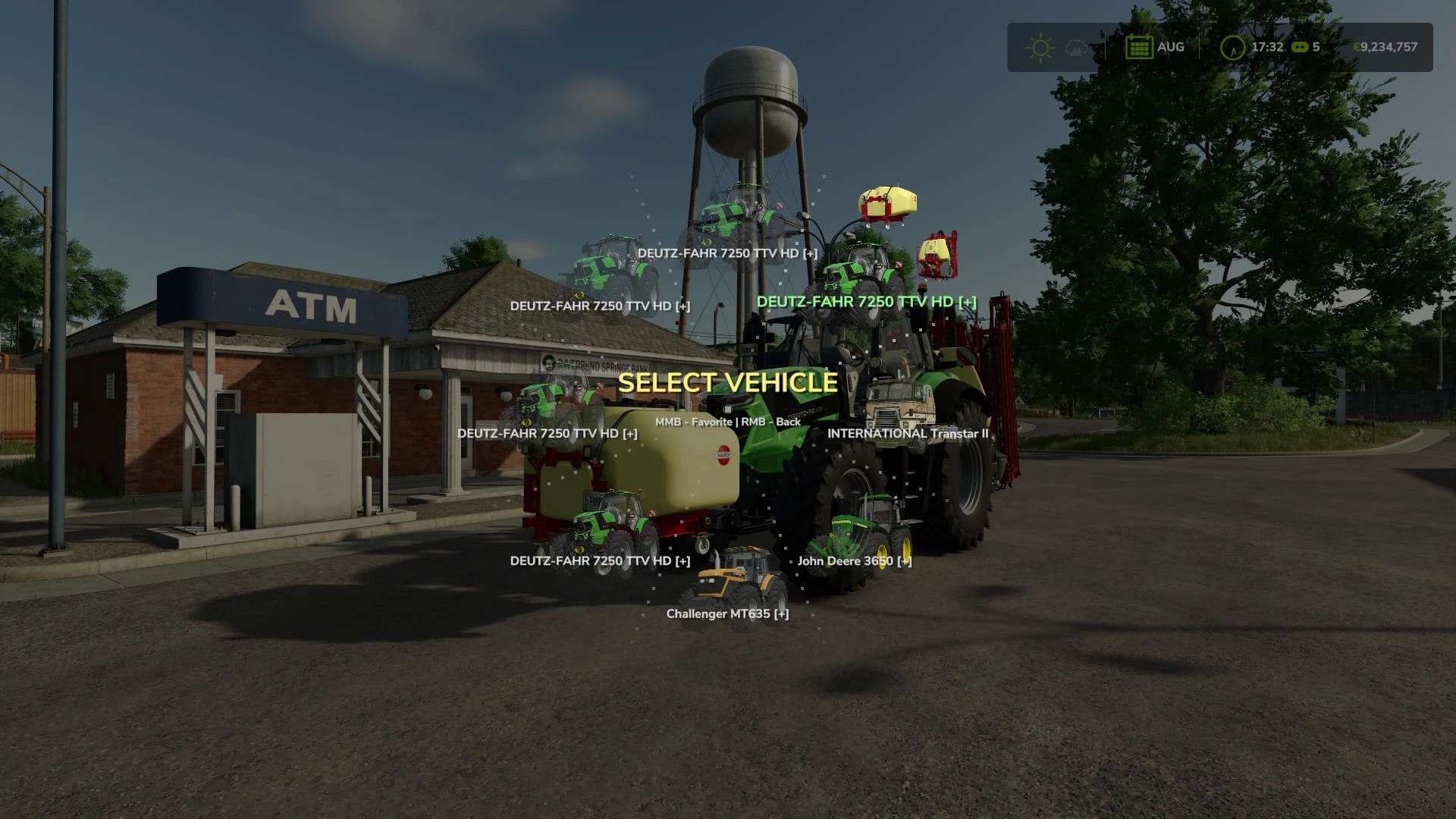
This mod replaces the standard sequential vehicle switching with an animated radial menu. By holding the Tab key, a graphical interface appears where all vehicles are automatically organized into categories: tractors, harvesters, trucks, loaders, and cars.
The menu is designed for real-time farm management. Vehicles operated by AI workers are highlighted with a special blue indicator and grouped into a dedicated category. For harvesters and trailers, the menu displays dynamic fill level bars including exact percentages and crop icons, allowing you to instantly monitor fleet status.
Note for controller users: you will need to reassign the joystick axes in the game settings. By default, the menu is opened using the RT + LT combination. Also, selecting a vehicle now requires holding the button (releasing Tab no longer triggers a selection).
Credits: DrivePro