Radial Vehicle Switcher V1.0.2.0.0 LS25
Radial Vehicle Switcher V1.0.2.0.0 LS25
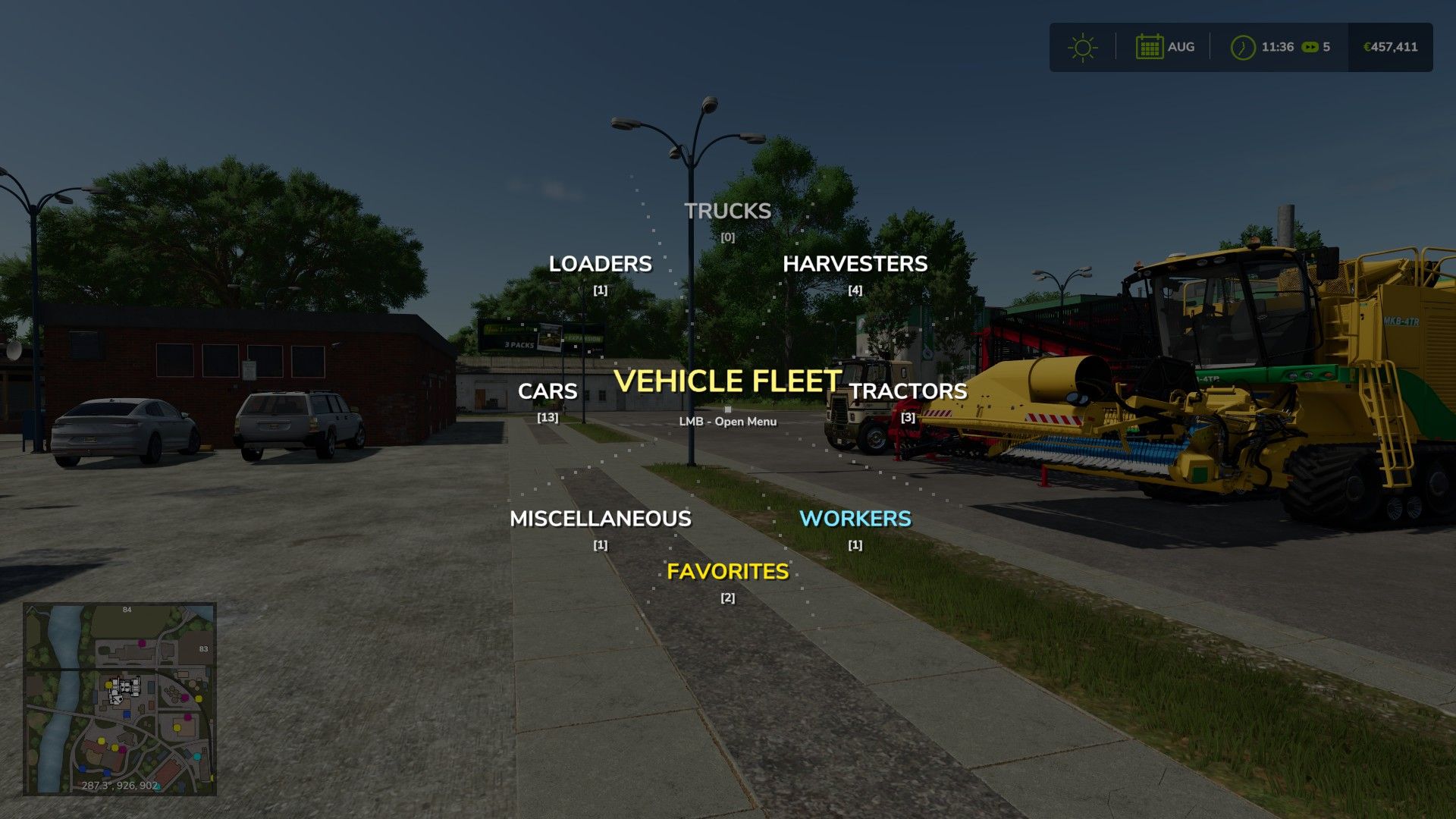
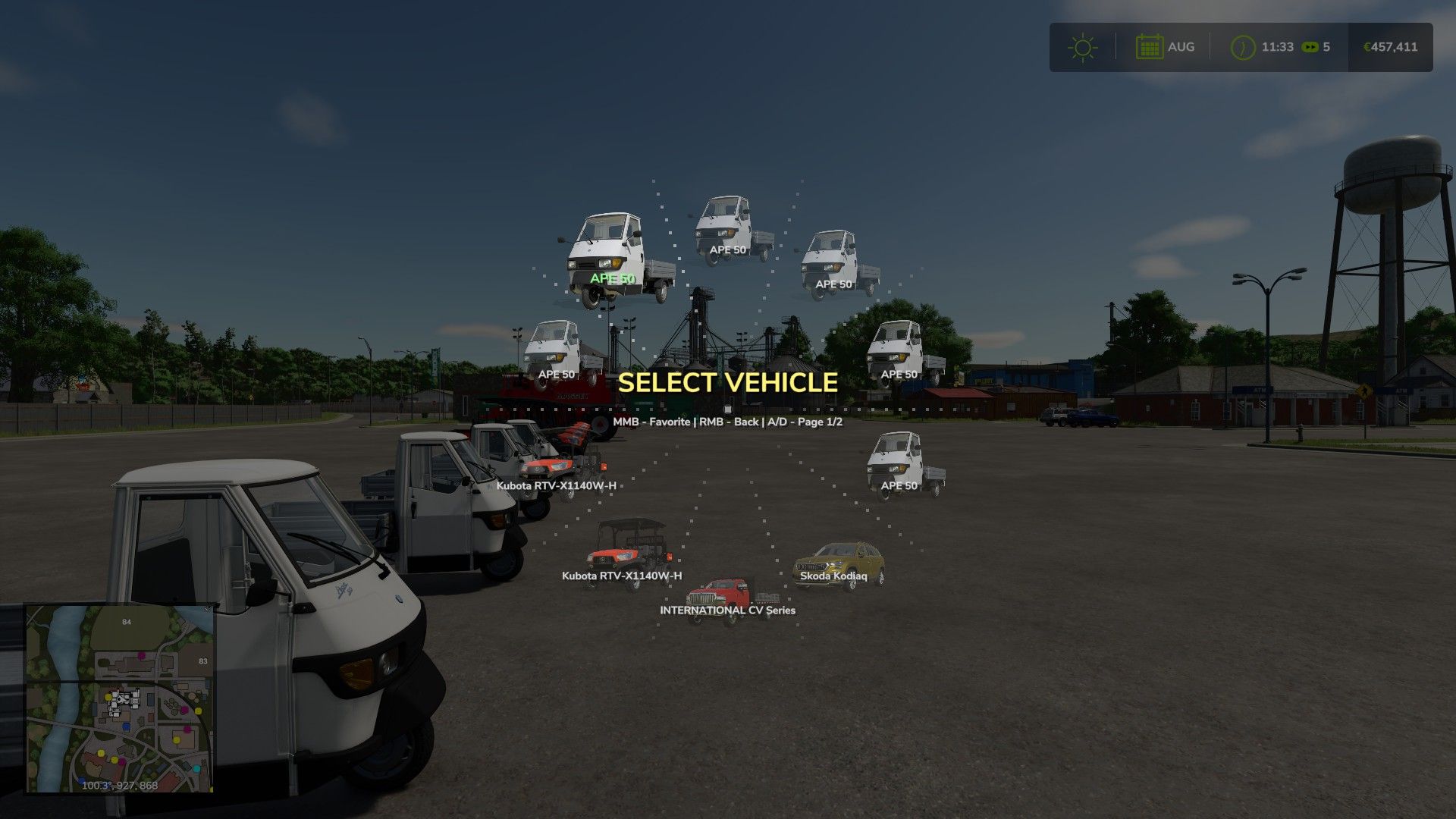
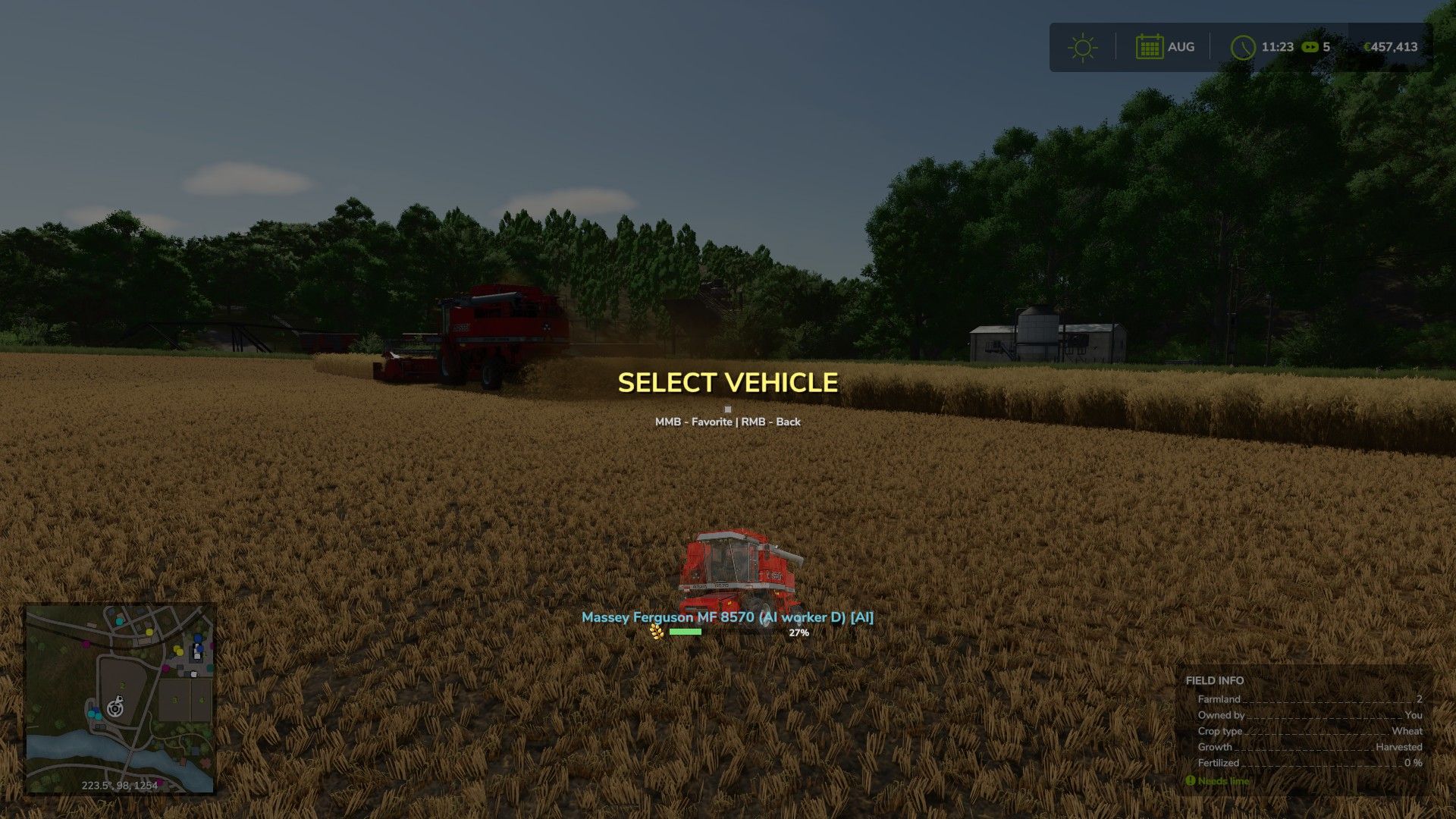
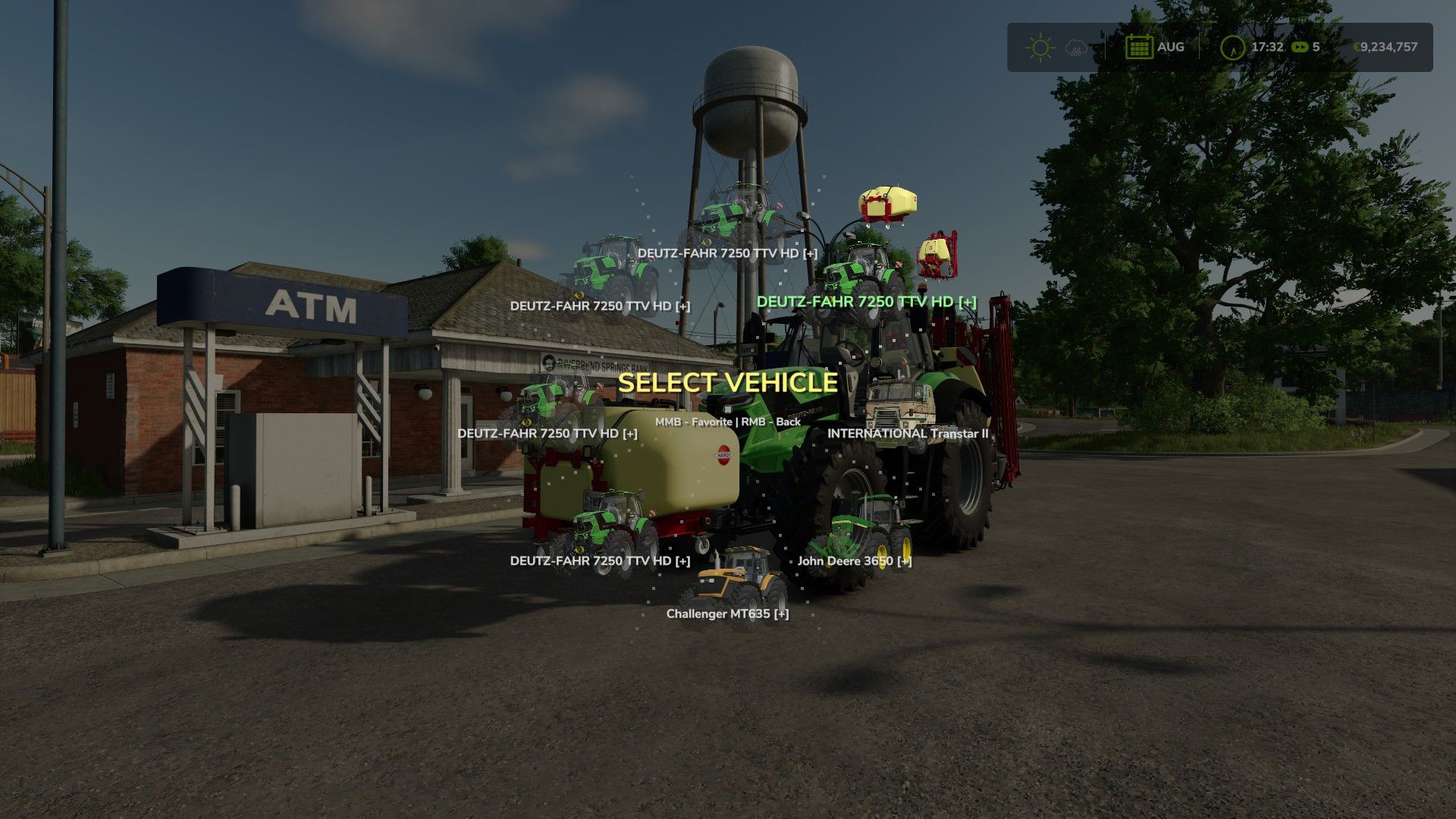
This mod replaces the standard sequential vehicle switching with an animated radial menu. By holding the Tab key, a graphical interface appears where all vehicles are automatically organized into categories: tractors, harvesters, trucks, loaders, and cars.
The menu is designed for real-time farm management. Vehicles operated by AI workers are highlighted with a special blue indicator and grouped into a dedicated category. For harvesters and trailers, the menu displays dynamic fill level bars including exact percentages and crop icons, allowing you to instantly monitor fleet status.
Note for controller users: you will need to reassign the joystick axes in the game settings. By default, the menu is opened using the RT + LT combination. Also, selecting a vehicle now requires holding the button (releasing Tab no longer triggers a selection).
V1.0.2.0
– Architecture: Complete transition to a modular system (Main, Data, Favorites, UI) for stability and easier updates.
– Controls: Full support for gamepad analog sticks with 360-degree radial navigation.
– Controls: All key bindings moved to modDesc.xml for configuration in game settings.
– Interface: Added display for attached equipment (trailers, headers, seeders) when hovering in the menu.
– Interface: Implemented “SmartFill” system – dynamic fill bars and crop icons for real-time monitoring of AI workers.
– Mechanics: Added selection confirmation via short hold (0.5 sec) to prevent accidental switching.
– Animation: Added smooth cascade appearance effects for menu elements and cursor inertia.
– Visual Effects: Added shake and icon color change effects when holding the select button.
– Multiplayer: Improved “Favorites” saving logic – data is now tied to a specific map/server and stored in the player’s profile folder.
– Optimization: Fixed “one-frame” angle calculation bug and optimized loading of vehicle icons from game resources.