NPC Favor Living Neighborhood Mod v1.0.0.0 LS25
NPC Favor Living Neighborhood Mod v1.0.0.0 LS25
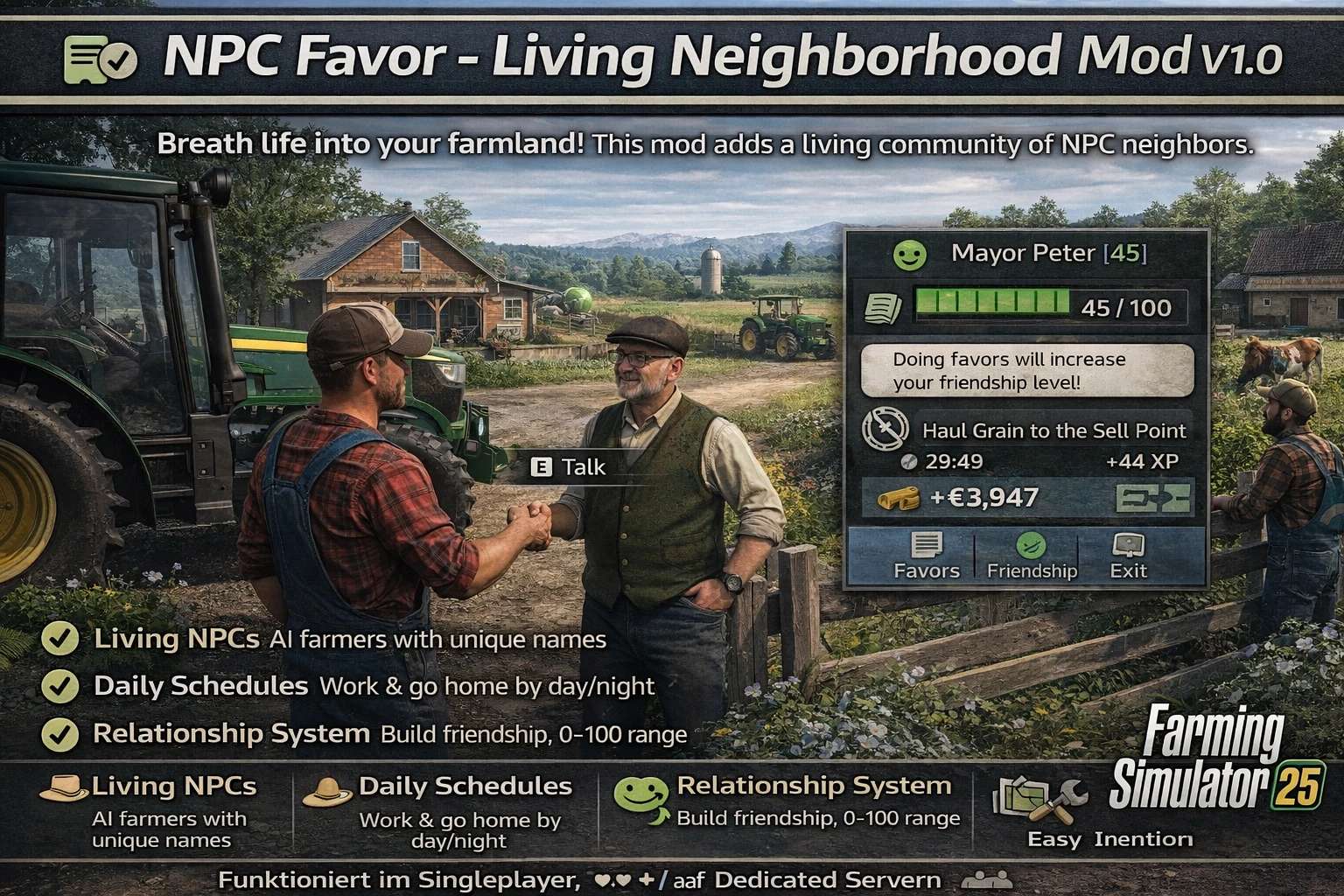
Breathe life into your farmland! This mod adds a living, breathing community of NPC (Non-Player Character) neighbors to Farming Simulator 25. They work their own fields, follow daily schedules, and will eventually ask you for favors, creating a dynamic layer of social simulation and small tasks alongside your main farming operations.
Features
Living NPCs: AI-controlled neighbor farmers populate your map, with unique names, personalities, and homes.
Daily Schedules: They follow a realistic day/night cycle—working fields by day, heading home at night.
Relationship System: Build friendship (0-100) with each NPC through interaction and completing favors.
Favor System: Neighbors will ask for help with tasks like borrowing equipment, transporting goods, or helping with harvests.
Simple Interaction: Walk up to any NPC and press E to talk, check relationships, or manage active favors.
Customizable: Control the number of NPCs, their work hours, how often they ask for favors, and more via settings.
Lightweight: Designed to run efficiently in the background without impacting game performance.
How to Use / In-Game Guide
Once the mod is active in your savegame:
Find NPCs: Look for named markers or characters (currently debug spheres) near houses and fields.
Interact: Walk close to an NPC. A hint will appear. Press E to open the dialog menu.
Build Relationships: Talk to them regularly. Higher friendship unlocks more interaction options.
Complete Favors: When you get a notification that an NPC needs help, talk to them. Accept the favor, complete the objective before the timer runs out, and claim your reward (cash + relationship boost).
Manage: Type npcHelp into the in-game console (~ or key) for a list of useful debug commands likenpcStatusornpcSpawn`.
Configuration
The mod creates a settings file in your savegame folder: savegameX/npc_favor_settings.xml. You can edit this file directly to change:
maxNPCs: Maximum number of active NPCs.
npcWorkStart / npcWorkEnd: Their working hours (0-23).
showNames: Toggle names above NPC heads.
debugMode: Enable visual debug info and paths.